
1. Import your slide deck
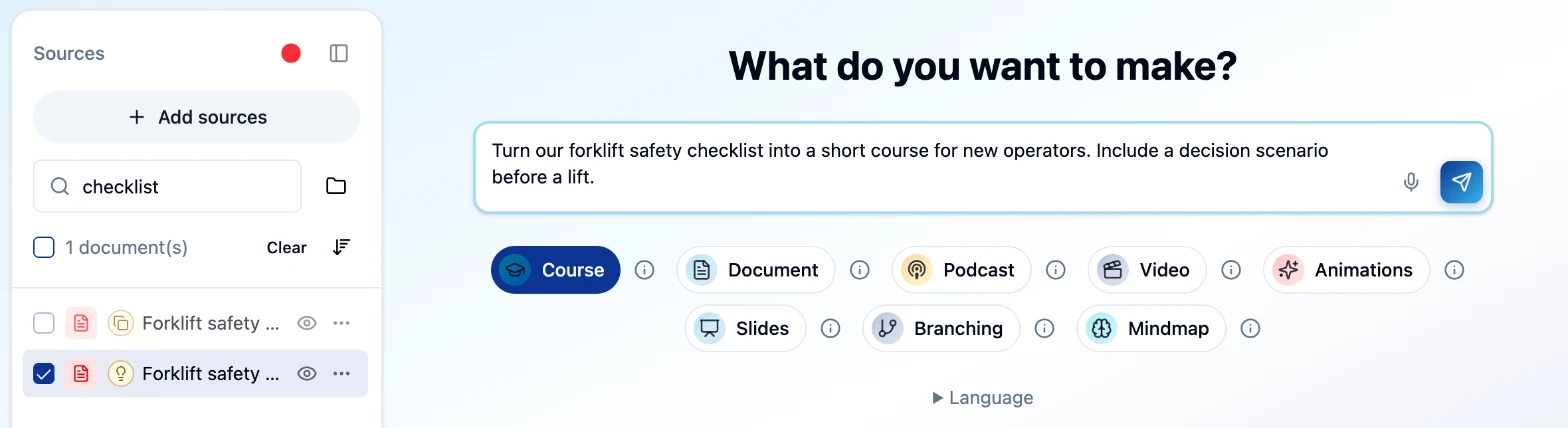
Upload your PPTX deck alongside supporting speaker notes, handouts, or product guides. Choose the audience, learning goal, and tone before generation starts.
Solutions / PowerPoint to eLearning
Stop clicking through static slides or rebuilding every deck from scratch in desktop authoring tools. Import your PowerPoint presentations into Generate Studio to build editable courses, narration, quizzes, and SCORM 1.2 or LTI 1.3 packages.
Send one non-confidential PowerPoint deck, SOP, or policy PDF and receive a live interactive sample course link within 24 hours. Keep your existing LMS via LTI 1.3 or SCORM 1.2 if you prefer.
See how Upskillable works with your existing LMS01 / How it works
Upskillable converts existing PowerPoint presentations into editable interactive eLearning courses, narration, knowledge checks, and SCORM 1.2 or LTI 1.3 packages inside Generate Studio. Subject-matter owners review every slide and quiz, publish into an existing LMS or Upskillable, and apply source-linked updates whenever the underlying deck changes.
Upload your PPTX deck alongside supporting speaker notes, handouts, or product guides. Choose the audience, learning goal, and tone before generation starts.
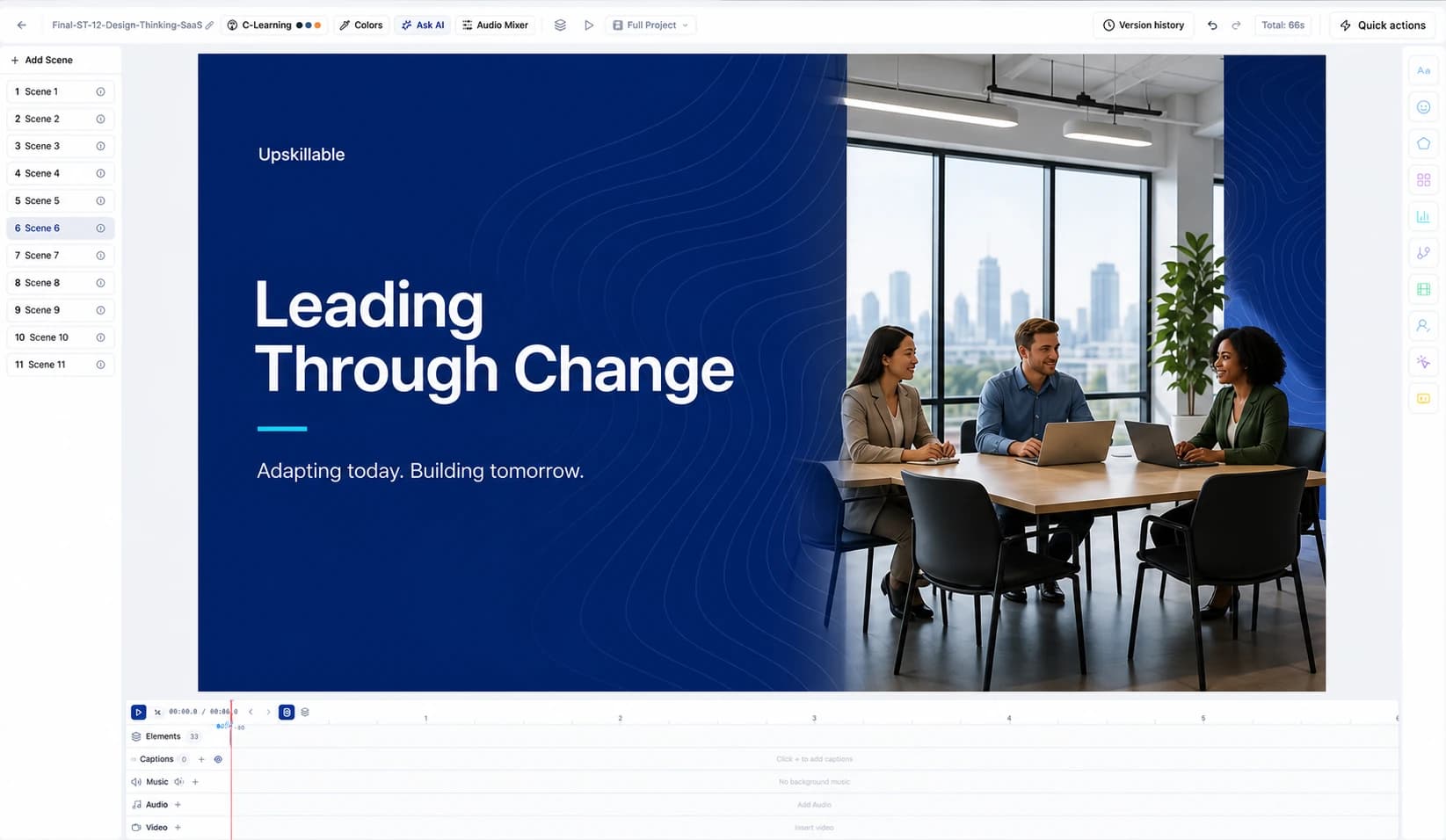
Refine lessons, interactive blocks, branching scenarios, quiz questions, and bilingual French or English text directly in the browser on Mac or Windows.
Deliver natively in Upskillable with an in-course AI Coach, launch inside your current LMS over LTI 1.3, or export a standard SCORM 1.2 package.
02 / Source-grounded authoring
Generate Studio turns uploaded presentations and companion files into eight connected formats: interactive courses, editable slides, AI presenter videos, animations, job-aid documents, audio podcasts, mind maps, and branching scenarios.
03 / Side-by-side comparison
Basic slide converters wrap flat slides in a player and freeze them into a ZIP file. Upskillable structures real learning interactions while preserving the link back to your source material.
| Capability | Static PPT-to-SCORM converter | Upskillable |
|---|---|---|
| Course structure & interactivity | Locks slide-by-slide next buttons with minimal learner practice. | Generates editable lessons, decision paths, fill-in tables, quizzes, and branching scenarios in Course Builder. |
| Narration, video & slides | Requires re-recording voiceovers manually in separate desktop tools. | Produces editable Slide Studio scenes, AI presenter narration, and audio podcasts from the same brief. |
| When the source deck changes | Forces manual rebuild, re-export, and fresh SCORM ZIP upload into the LMS. | Prepares reviewed Living Course updates tied to the revised source so owners approve and apply changes cleanly. |
| On-the-job learner support | Learners close the slide player and ask open-web AI tools. | Includes a grounded in-course AI Coach that answers strictly from released course content and cited sources. |
| LMS compatibility | Static SCORM export only, severing analytics and live updates. | Runs inside Upskillable or alongside Workday, Docebo, Absorb, Cornerstone, and LearnUpon via LTI 1.3, xAPI, or SCORM 1.2. |
04 / Reviewed updates
Upload the revised presentation or policy update. Generate Studio prepares the targeted lesson revisions for SME review before publishing to the live Living Course.
The course owner reviewed updated pricing and workflow steps and applied them directly to the active onboarding course.
05 / Grounded AI Coach & editing
Keep full visual control over slides, motion, and presenter narration in the browser, while giving learners an AI Coach they can question during onboarding or on the job.
Confirm SSO and SCIM scope during kickoff before enabling customer portal access.
Course sourceBased on the approved Q4 Enablement Deck, confirm SSO identity provider metadata first, then assign portal scope.
06 / Delivery & LMS options
Start with a single high-traffic onboarding, sales, or compliance deck. Test the workflow with no LMS migration required.
Human subject-matter experts always review and approve generated lessons, translations, and updates before learners see them. Output quality depends on the clarity of the source deck and notes you provide.
Practical questions
Upload your PPTX deck and optional speaker notes into Upskillable Generate Studio, set the target role and learning goal, and generate an editable course with interactive blocks, knowledge checks, narration, and scenarios for SME review before publishing.
Yes. Teams that need file-based uploads into an existing LMS can export standard SCORM 1.2 packages, or launch live Living Courses via LTI 1.3 and xAPI so reviewed revisions arrive without re-uploading ZIP files.
Yes. From the same uploaded presentation, Generate Studio creates interactive courses, editable Slide Studio scenes with presenter narration, audio podcasts, and localized French and English editions reviewed by your team before release.
Instead of rebuilding and re-exporting a static course from scratch, upload the updated presentation so Generate Studio prepares targeted lesson updates for SME approval inside the active Living Course.
Yes. Request a 24-hour sample course through the quick message form on our demo page using a non-confidential PowerPoint deck, and we will return a clickable Living Course link.
See it on your own files
Book a 20-minute live walkthrough or send one non-confidential file for a 24-hour interactive sample course.