
Keep learning aligned with releases
Product and procedure changes reach the course as reviewed updates, so engineers are not working from an earlier release.
Industries / Cybersecurity vendors
Product releases keep changing what customer-facing engineers need to know. Keep implementation, customer engineering and support teams ready with Living Courses built from your own approved documents, and an AI Coach they can ask while they do the work.
The release changed the preflight checks. What is different?
Release 12 adds a configuration export before the preflight checks. Complete it first, then record the result in the upgrade plan.
Upgrade runbook, release 1201 / What teams need
Cybersecurity vendors keep customer-facing training current by connecting each course to approved release notes and runbooks, reviewing every proposed change with a product owner, applying the approved update to the existing Living Course, and giving engineers an AI Coach that answers from that released course content.
Product and procedure changes reach the course as reviewed updates, so engineers are not working from an earlier release.
Give implementation and support engineers your own runbooks and an AI Coach to ask first, without overloading product experts with routine questions.
Connect each deployment task to the skills it requires, and review assessment and evaluation evidence, not only course completion.
02 / Connected to your own sources
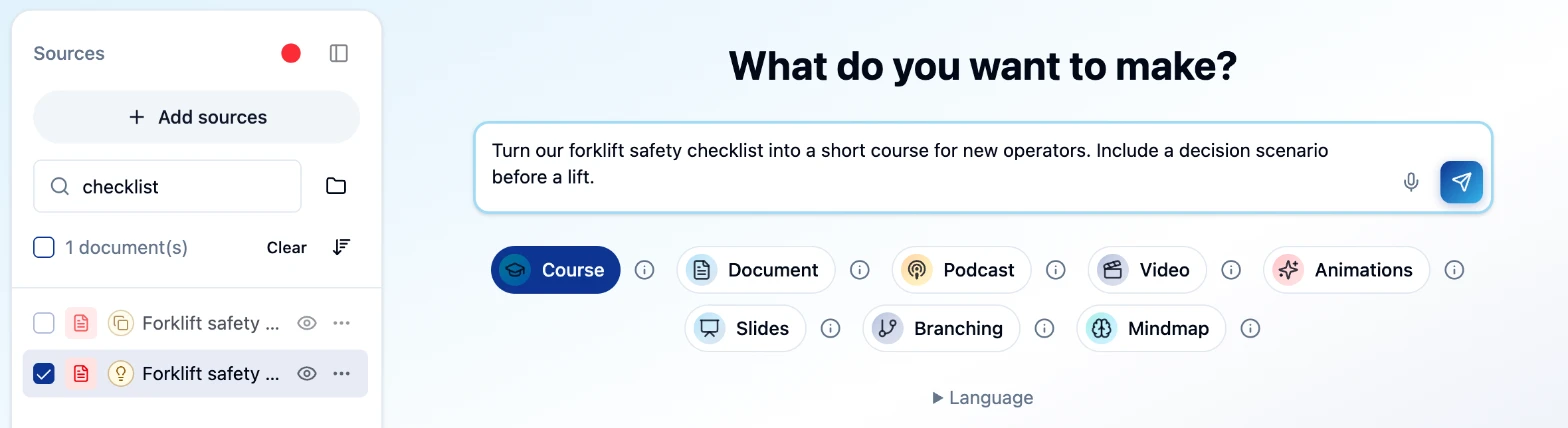
Generate Studio turns the sources you select into courses, job aids, slides, videos and branching scenarios. Your team reviews and edits everything before release, and the learning stays connected to those sources.
03 / Reviewed updates
A change is prepared for review. Once your course team approves it, the update is applied to the existing Living Course. Nothing is published without that review.
The course team reviewed the revised preflight checks and applied them to this course.
04 / In the flow of work
Engineers ask the AI Coach about the released course while they work, by text or, in enabled workspaces, by voice. Answers draw on the course content and its cited sources.
The revised runbook adds a configuration export before the preflight checks.
Course sourceRelease 12 adds a configuration export first. Here is where it fits in the upgrade sequence…
Export the configuration, then follow your approved upgrade runbook.
05 / Readiness evidence
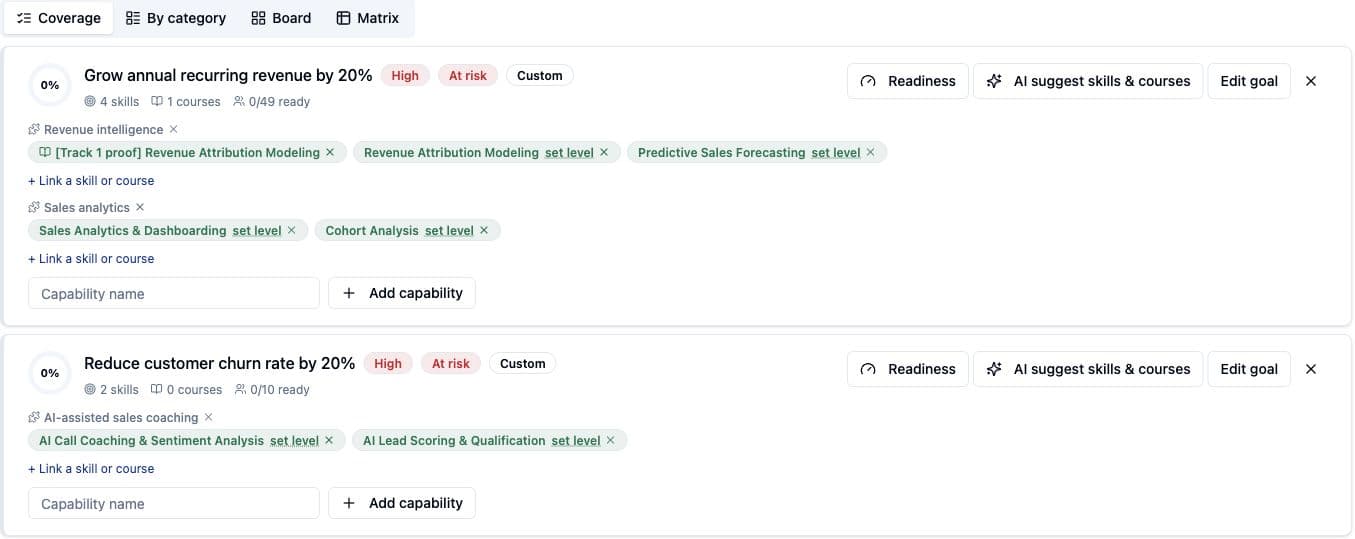
Goals connect a business priority to the skills and courses behind it, so you can see coverage across products and teams before you assign the work.
06 / Where to begin
Pick one product and one deployment or upgrade workflow. Build the Living Course from its approved runbook, let engineers learn and ask the AI Coach, and agree up front what you will measure.
These are measures to agree and baseline with you, not promised results. Living Courses supplement your approved runbooks and sandbox practice. They do not replace them.
A few practical questions
Upskillable is an AI-native LMS that turns a vendor's approved release notes and runbooks into Living Courses, supports implementation, customer engineering and support teams with an in-course AI Coach, and connects deployment tasks to skills evidence. Teams can start with one product and one deployment or upgrade workflow.
Changes are prepared for review. When the course team approves a change, it is applied to the existing Living Course. New information does not become published learning without that review.
Yes. Learners can ask the AI Coach about a released course by text, and by live voice in enabled workspaces. The AI Coach uses the course content, its sources and relevant learner context. It supports your approved runbooks and sandbox practice. It does not replace them.
Generate Studio works from the documents your team selects, such as release notes, upgrade runbooks, deployment guides, knowledge base articles and support playbooks. It creates courses, documents, slides, videos, animations, podcasts, mind maps and branching scenarios that your team reviews and edits before release.
Start with a focused use case alongside your existing LMS. We confirm the required connections, access and implementation scope before proposing the rollout.
Your starting point
Tell us the role, the procedure and the measure. We will scope the first Living Course around it.
Get estimate