
Keep your LMS.
Bring learning to life.
Add AI authoring, a Tutor that knows the lesson, and learning experiences that keep evolving. Give people help they can use on the job, alongside the LMS you already have.
Your LMS
Your people.
Your learning entry point.

Living learning
Your content. An AI Tutor.
Practice in the flow of work.
Your expertise.
More ways to learn it.
Turn documents, playbooks and expert knowledge into editable learning. Generate Studio brings your sources and your Universal Canvas into one authoring workspace.
Explore authoring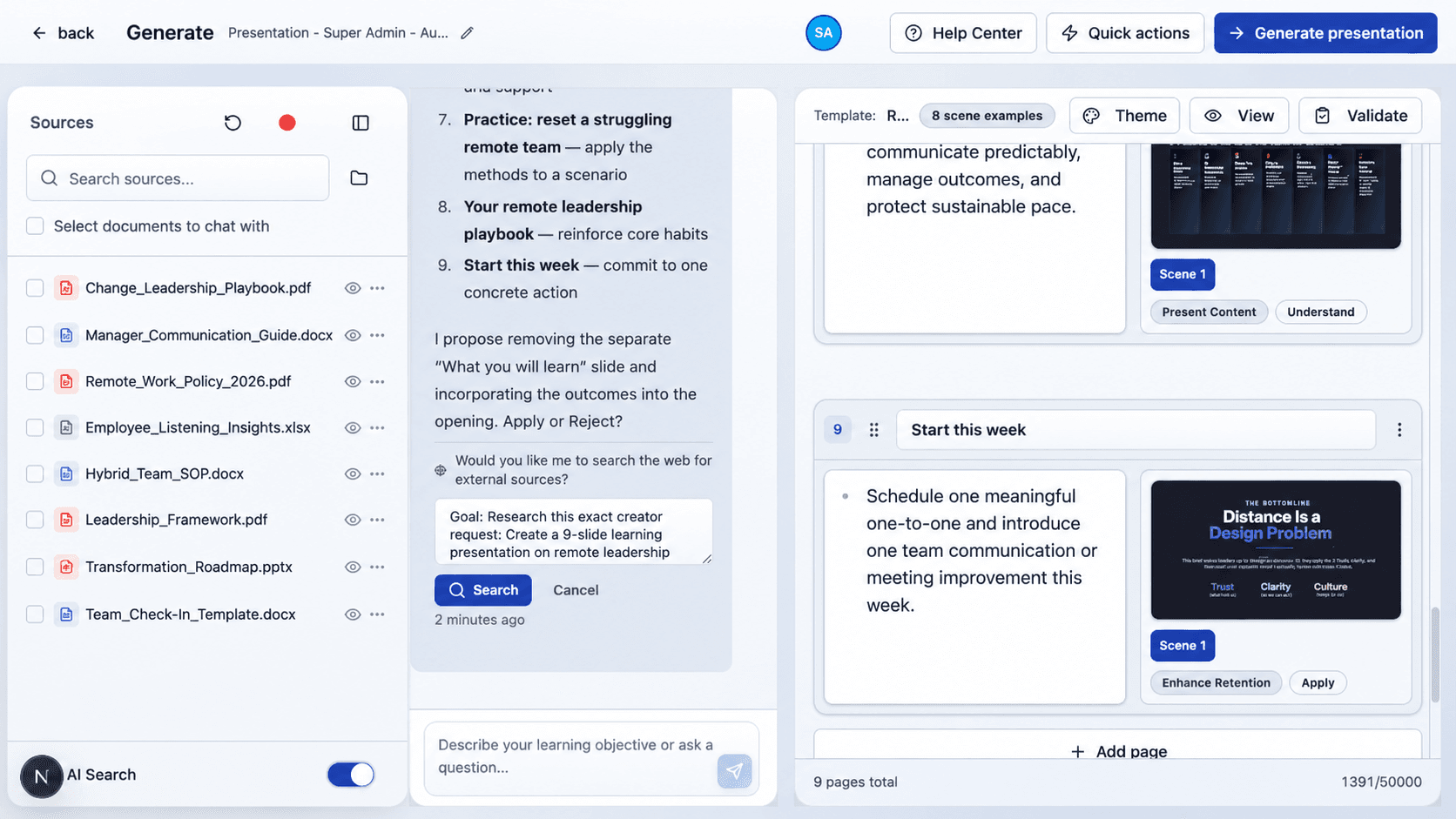
- Courses
- Slides
- Video
- Documents
- Podcasts
- Mind maps
- Scenarios
Keep the source in sight.
Build from your knowledge. Review the content and its supporting references. Give learners explanations grounded in the lesson and available sources.
Automatic source tracing across the full lifecycle is in development.
A question at work.
A place to move forward.
A frontline worker needs the next step. A manager wants to rehearse a conversation. A new hire needs another explanation.
Living Courses put learning and performance in the same experience. People can open their learning on a phone, ask the AI Tutor, work through a decision and return when they need help again.
- Understand
- Ask for an explanation tied to the lesson.
- Practise
- Try a decision, explain your thinking and get feedback.
- Apply
- Connect what you learn to the task in front of you.
Voice and structured practice depend on the workspace and topic.
Explore Living Courses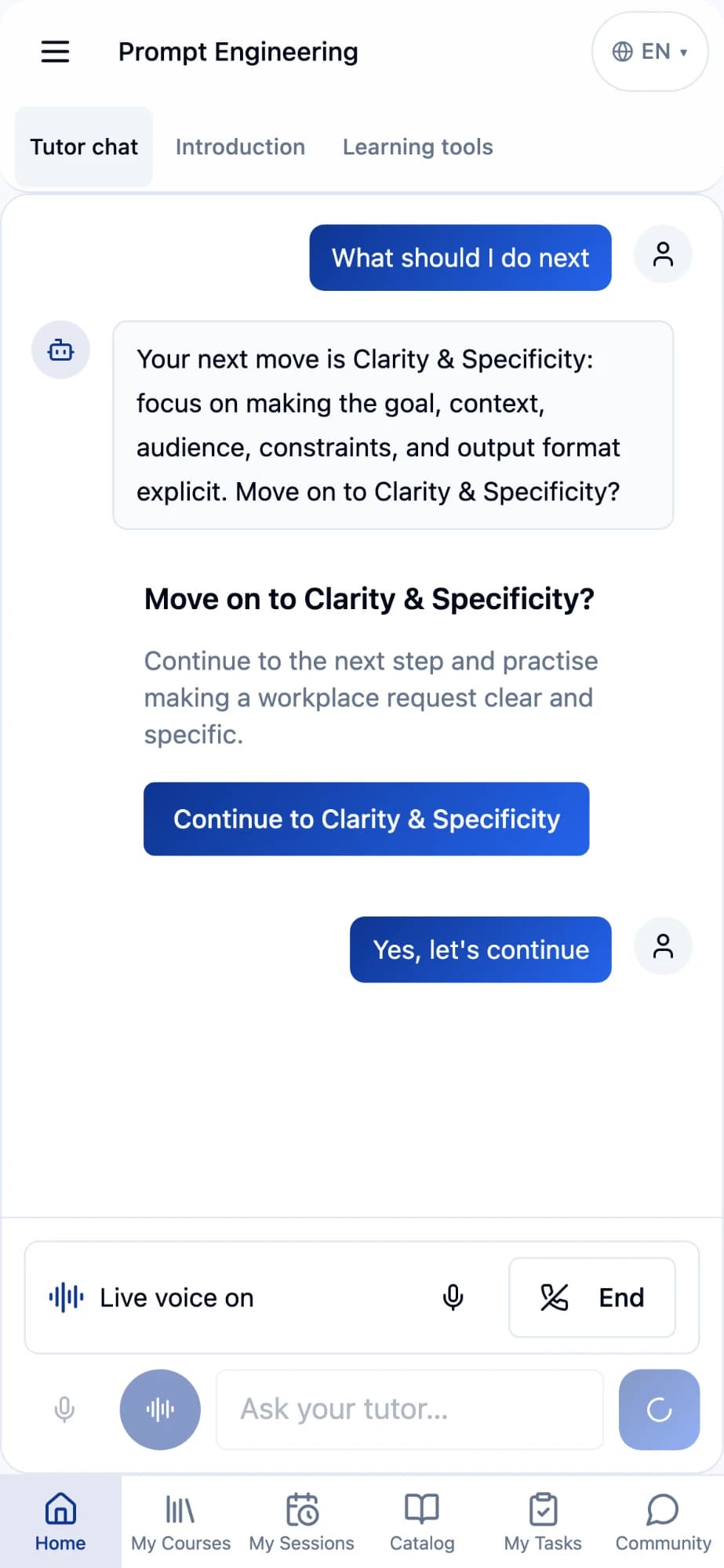
Illustrative prompt-writing course.
The guidance changes.
The learning continues.
A Living Course gives a subject a continuing home. Bring reviewed updates into the existing experience, so people can come back for what matters now.
Review the change
Your team checks the new guidance.
Apply the update
Approved content joins the course.
Ask and practise
The Tutor helps make sense of it.
Return and continue
One subject. A place to keep learning.
New knowledge enriches the experience. Your team stays in control of what is released.
Keep the connection.
See more of the learning.
Launching a course, returning an LMS result and recording detailed activity are different jobs. Set up the reporting paths your team needs.
Start in your existing LMS.
LTI 1.3 is fully implemented. Connect an LMS learning link to an Upskillable experience, with the connection configured for your platform.
Agree what returns to the LMS.
Scores and progress depend on supported LTI result services and the agreed mapping. LTI 1.3 launch alone does not guarantee grade passback.
Go deeper into learning activity.
Use xAPI tracking and configured delivery to a learning record store (LRS). Agree which supported events to record and where your team will use them.
*Results support is confirmed per integration. An LRS may sit alongside your LMS; displaying its detailed records inside the LMS depends on that system.
Start with one learning need.
Bring your LMS, one real task and the knowledge behind it. See the experience before planning a wider rollout.
- Bring your setup
Your LMS, learning audience and reporting needs.
- Build your experience
Use your source material to create a course with contextual Tutor support.
- Check the whole journey
Confirm access, launch, learner experience and the agreed reporting destinations.
Before you connect
Do we need to replace our LMS?
No. This approach is built around keeping your LMS as the starting point and adding Upskillable authoring and learning experiences alongside it.
Will every LTI 1.3 platform work out of the box?
Upskillable supports LTI 1.3. Setup varies by platform, so we configure access settings and supported result services with your team before rollout.
Does all xAPI activity appear in our LMS?
xAPI records are delivered to a configured LRS. Your LMS needs its own supported connection to that LRS to show those records. We agree the destination and reporting scope during setup.
Do course updates happen automatically?
Your team reviews and approves changes. The updated experience gives learners a place to return, ask what changed and continue learning.
Bring your LMS.
Let’s build what comes next.
One task. Your source material. A learning experience your people can use.