
Active listening REQUIRED
Target: Level 3
1Level 12Level 23Level 34Level 4
Skills / Workforce readiness
Connect business goals to the skills people need and the evidence behind them. Find the gaps, guide development, and manage renewal as requirements change.
Most skills features infer a level from a course completion or a self-rating. Upskillable records the evidence, who confirmed it, and when it expires.
01 / Start with the business need
A new responsibility changes what people need to be able to do. In Goals, connect the outcome to capabilities, then confirm the skills and learning that support them. AI suggestions remain review items until you confirm the links.
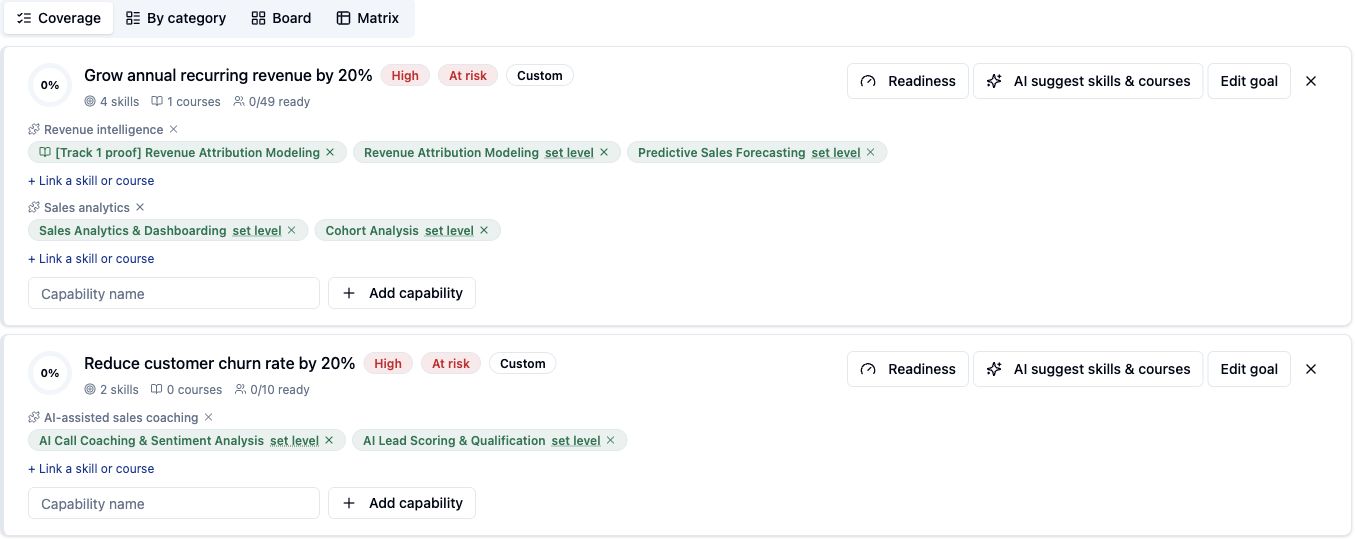
Set a skill requirement once for a job role or group and it applies to every holder. Link courses to the skills they develop, so a training recommendation has a clear reason to exist.
02 / Skills in frontline work
For a frontline worker, a skill matters in the work it helps them do. Link a task to its guidance documents, required skills, and supporting courses. Define who it applies to through job roles, sites, departments, or groups.
Complete the return safely and explain the next step.
Get help using your employee context, this task, and its connected guidance.
Uses this task, its approved guidance, courses, and skills.
Applicable tasks appear in the learner workspace with their intended outcome, guidance titles, required skills, and supporting courses. Learners can open the task and ask the AI Coach for help with its guidance.
03 / Make the gap visible
Start with a job role or group. Compare each learner’s recorded skill level with the requirement, then inspect missing evidence, pending approval, or an approaching expiry.
The product matrix keeps skills in rows and people in columns, so each compact cell shows the recorded level or qualification state.
| Skill / requirement | ACAvery ChenReview | JMJordan MalikCompleted | SRSam RiveraStart |
|---|---|---|---|
| Active listeningRequired level 3 | 3Level 3 | 4Level 4 | 2Level 2 |
| CoachingRequired level 3 | 3Level 3 | Pending | —Required 3 |
| Safety certificationRequired level 1 | CertifiedValid | Certified21d | ExpiredRenew |
| Completion status | 100% | 67% | 33% |
Example data only. In the product, each cell opens its evidence and evaluation details.
Review courses explicitly linked to the skill or its remedial learning. Use the matrix to plan the next step, then follow the learner’s requirements, evidence, and learning journey.
04 / Define what counts as evidence
Use skill scales and evaluation workflows to make the judgment explicit. Collect the relevant learner, trainer, or manager input through the workflow configured for your organization.
Avery Chen
Unsaved Changes — 1 skill modified
Target: Level 3
Target: Level 3
Evaluation participants and approval steps depend on configuration.
05 / Let the rules do their work
Condition-based skill updates check eligible learning evidence against the applicable rules. Review which records would change, which preserve a human evaluation, and which should stay as they are.
Applies a passed course to skills you marked Automatic.
Dry run writes nothing. These are the changes that would be made on the next run.
Three rules the system does not break. Human-recorded evidence has priority over automated skill updates. Course completion alone does not renew a qualification. Every level keeps its history. The preview does not change skill records. Automatic application requires tenant enablement.
06 / Keep qualifications current
Some skills do not expire. Others need periodic renewal or a fixed review date. Set the policy, see the effect on existing holders, and manage renewal with the evidence and approval the process requires.
Renews
Manager approval
Use no-expiry, interval, or fixed-calendar rules. Preview the impact of a policy change.
Record renewal evidence and route self-attestation for approval when required.
Retain the qualification history and audit record as the holder’s status changes.
07 / Find the next decision
A missed evaluation or a qualification approaching expiry gives you a reason to investigate. Use Engage’s skills and role-readiness insights, then open the supporting Analyze report to understand the affected people and requirements.
Signals, in development, will bring an activity journal into Engage to review alongside skill evidence and decide where a closer look is needed.
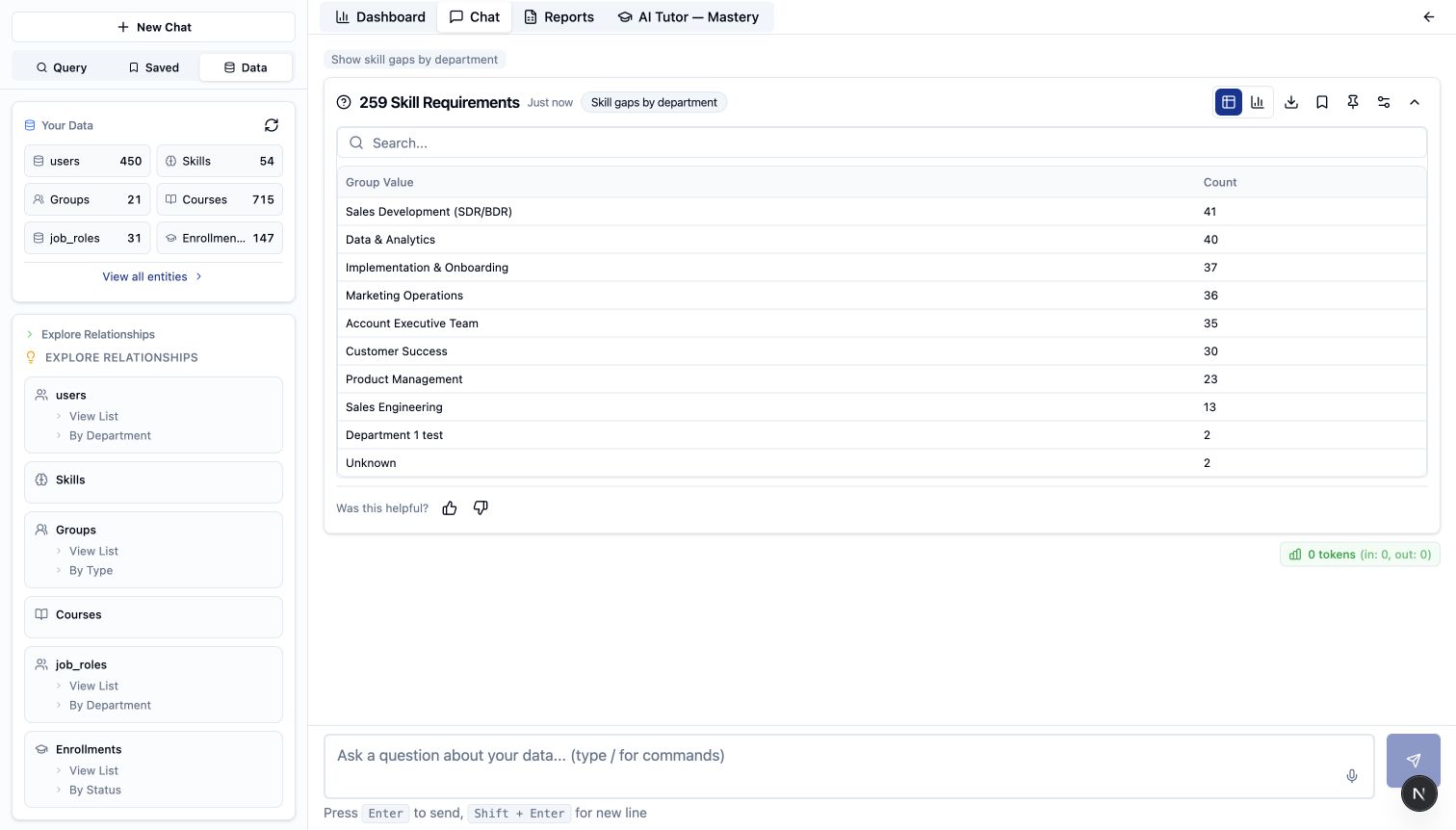
A few practical questions
Skills connects role and group requirements with levels, evidence, and expiry so teams can review current capability against defined work.
No. Course completion records learning progress. Skill evaluation and renewal use a separate evidence workflow, with approval when the configured policy requires it.
The current preview shows proposed updates without changing skill records. Automatic application requires tenant enablement and follows the configured evidence rules. Human-recorded evidence has priority over automated updates.
Goals connect capabilities to confirmed skills and course links. Suggestions can support the work, while people review and confirm the relationships.
Your team defines skills, scales, and requirements in the workspace. Goals can suggest skill and course links from your existing content. Suggestions stay review items until someone confirms them.
Yes, where the configured workflow allows it. Self-attestation is recorded as evidence and routed for approval when the policy requires it. It does not replace a trainer or manager evaluation.
Part of the Living Learning System
Start with the work. Connect the skills, learning, and evidence that support it.
Get estimate