
AI Authoring · November 17, 2026
How to author bilingual French and English training without XLIFF rebuilds
 Romain Gagnon · November 17, 2026 · Founder & CEO
Quick answer
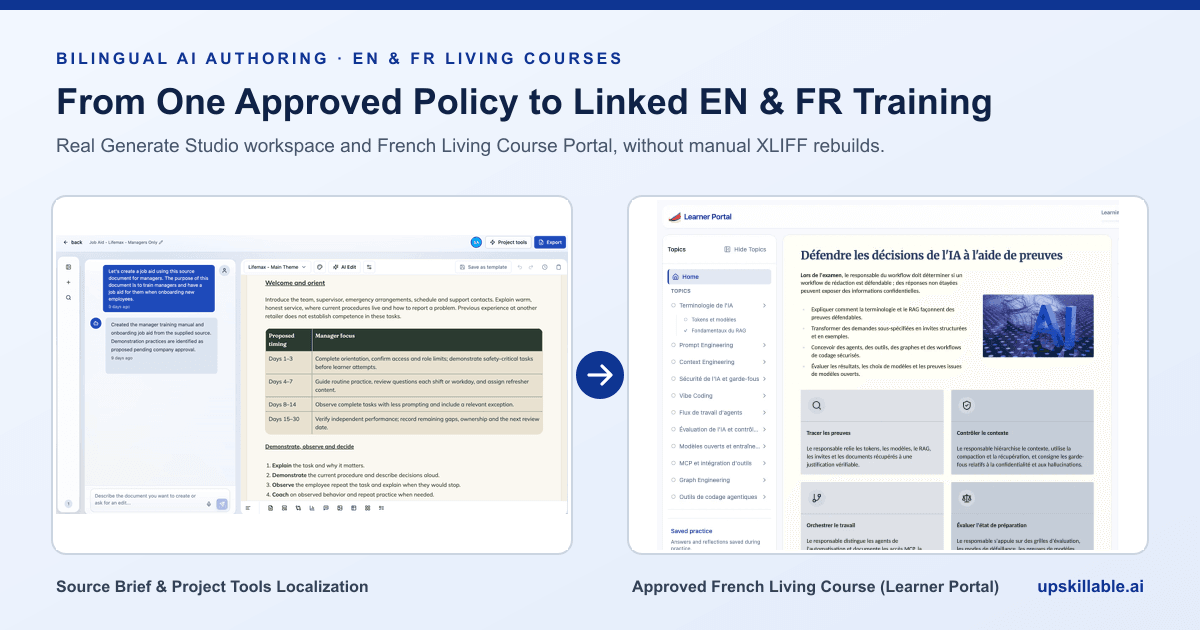
Bilingual French and English AI authoring eliminates manual XLIFF export loops and duplicated SCORM builds by generating and translating courses, job aids, slides, and podcasts from one approved policy source using terminology rules, translation memory, and mandatory human review before publication.
Key facts for Canadian and bilingual L&D teams
- Federal workplace language parity: Under Canada's Official Languages Act (R.S.C., 1985, c. 31) and guidance from the Office of the Commissioner of Official Languages, covered federal workplaces provide work instruments, training, and communications in both English and French.
- Workplace safety comprehension: The Canadian Centre for Occupational Health and Safety (CCOHS) emphasizes delivering hazard training workers genuinely understand on the job rather than untranslated boilerplate.
- Traditional tool friction: Manual localization workflows export XLIFF translation files per Storyline or dual-file project and re-import every edited course slide by slide (Storyline translation guide).
- Quebec compliance alignment: Pair language workflows with privacy governance by reading our Quebec Law 25 and bilingual staff training guide.
Note: This guide covers learning operations and authoring architecture, not formal legal counsel. Confirm statutory and provincial language scope with qualified legal or HR advisors.
Why manual XLIFF and dual-SCORM workflows stall updates
Replacing manual XLIFF exports and dual-SCORM rebuilds starts with one approved source document, terminology memory, and human bilingual sign-off inside Generate Studio.
When teams manage English and French courses inside separate standalone authoring files, launch day is rarely the hardest part. The real cost shows up three weeks later when Compliance updates one data-retention rule or Operations changes a safety inspection step. Every small policy edit triggers a round of XLIFF exports, agency tickets, text-overflow repairs, re-recorded audio, and two new ZIP uploads to the LMS.
| Operational step | Manual XLIFF & Dual-SCORM Workflow | Generate Studio Localization & Living Courses |
|---|---|---|
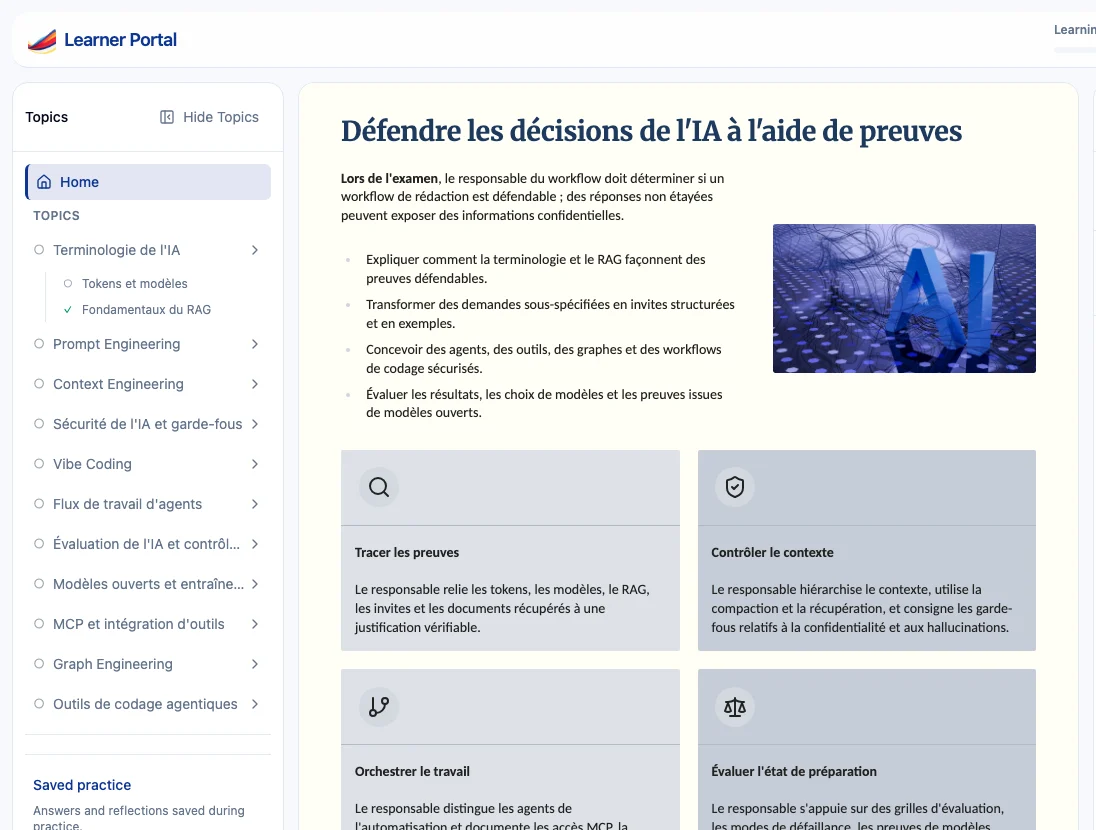
| Starting draft (EN & FR) | Build one full English course first, fix slide layout constraints, then clone or export XLIFF files into an external translation cycle. | Generate editable Course, Document, Podcast, and Presentation projects directly from your French or English SOPs and handbooks. |
| Terminology consistency | Different contractors translate compliance terms, job titles, and system menu labels inconsistently across modules. | Terminology rules and translation memory keep approved French and English vocabulary aligned across projects. |
| Audio & slide visuals | Text expansion breaks fixed Storyline bounding boxes, forcing designers to shrink fonts or re-time slide audio layers manually. | Responsive Living Courses adapt naturally to French copy length, while Slide Studio keeps captions and overlays editable. |
| Human approval gate | Reviewers inspect spreadsheets of extracted XLIFF strings divorced from the final learner page context. | Bilingual owners review localized content in context in the localization queue, resolving issues before separate publish approval. |
| Post-launch updates | A one-paragraph policy change requires repeating XLIFF exports and uploading fresh ZIP archives into every LMS portal. | Revise the affected lessons in Generate Studio with Truth Ledger verification and deploy via native portal, LTI 1.3, or updated SCORM 1.2 export. |
How bilingual localization works in Upskillable Generate Studio
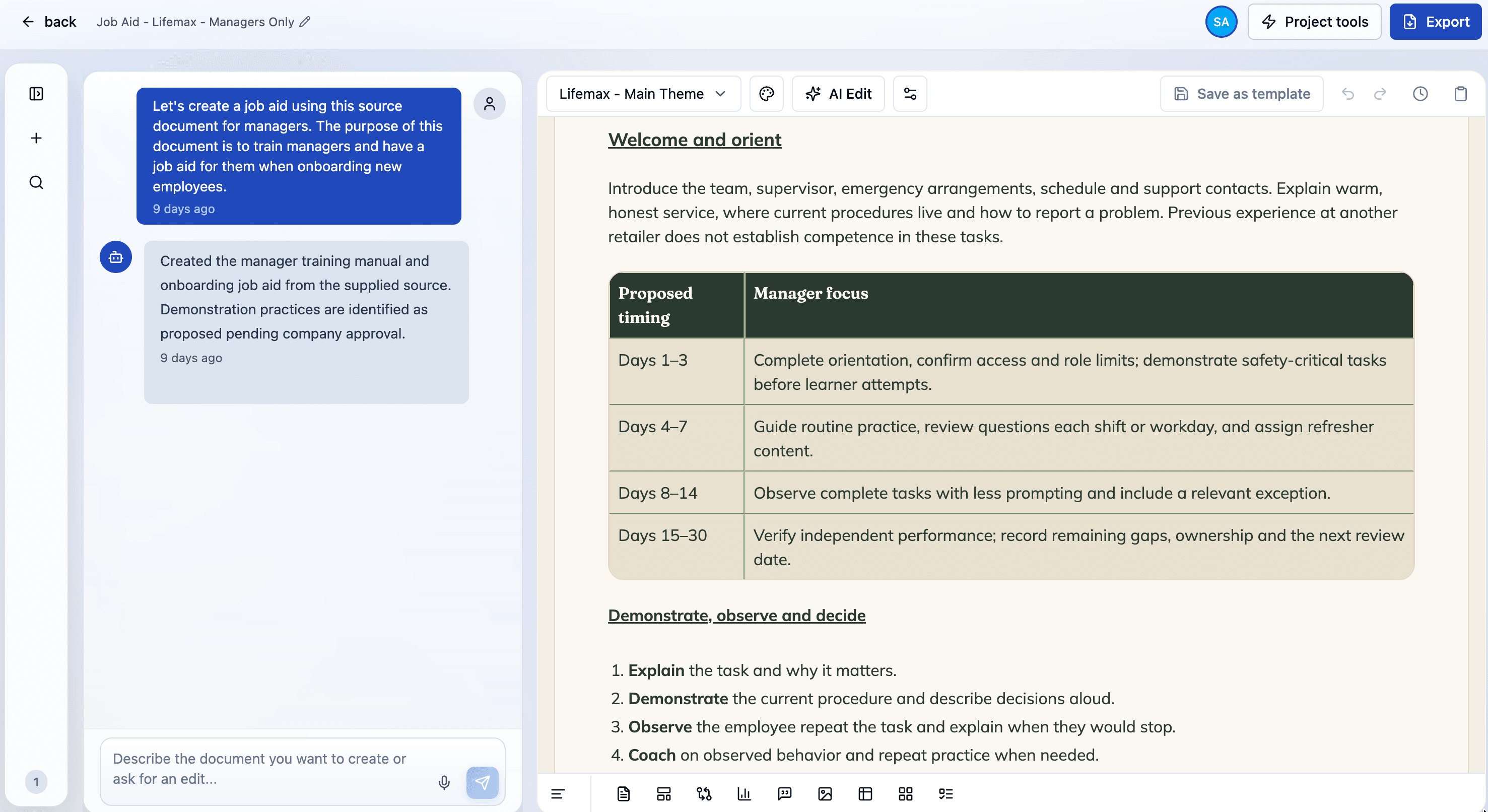
In Generate Studio, teams avoid fragile duplicate course trees while keeping strict human governance over what reaches staff:
- Anchor to approved organizational knowledge: Start from your existing English or French policy PDF, onboarding manual, or standard operating procedure so every quiz and claim ties back to the Truth Ledger.
- Trigger translation directly from Project tools: For an eligible Course, Document, Podcast, or Presentation project, select Translate into another language and pick the target language available in your workspace.
- Track status and resolve terminology checks: Generate Studio applies workspace terminology rules and translation memory, surfacing translation status and flagged review issues rather than silently auto-publishing rough text.
- Approve intentionally before learners see it: Bilingual reviewers inspect and approve the localized version, and for Courses, publishing the translated track requires an explicit publish action once review is ready.
- Support staff in their language inside the lesson: Learners ask follow-up questions in French or English with the in-course AI Coach grounded strictly in approved course content and workplace role rules.
5-point buyer checklist for bilingual AI authoring
Before committing budget to any authoring suite or LMS, pressure-test your real workflow with five checks:
- Test a live change request, not a blank demo: Change two policy thresholds on a translated course and measure how fast both French and English versions are verified and ready.
- Inspect total seat and translation costs: Compare separate authoring, translation add-ons, and LMS hosting fees in our Upskillable vs Articulate 360 comparison.
- Check Canadian infrastructure requirements openly: Upskillable hosts primary PostgreSQL databases and files in AWS US-East (Security overview) with Quebec Law 25 and PIPEDA contractual commitments in its DPA (Privacy & Law 25). If your legal policy strictly mandates in-Canada servers, confirm regional server residency requirements in writing with your security team before deciding.
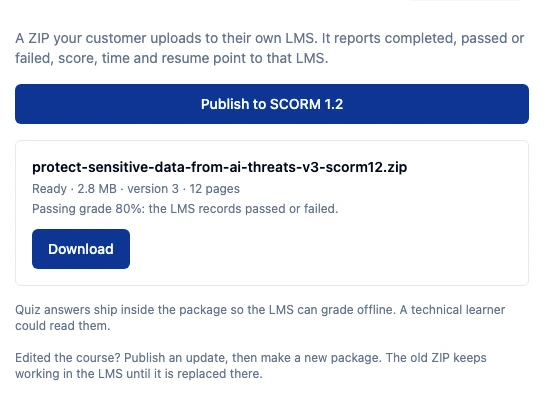
- Confirm compatibility with your existing LMS: Even when an enterprise LMS contract runs for years, you can build bilingual courses in Generate Studio and connect them via LTI 1.3 or SCORM 1.2 export.
- Try one real internal SOP first: Send us a quick note with a bilingual training challenge or book a 20-minute pilot session using your own source material.
Frequently asked questions
Why do XLIFF and dual-SCORM translation workflows slow down training teams?
Manual XLIFF cycles separate strings from live page layouts and require re-exporting, resizing text boxes, re-timing narration, and uploading fresh ZIP archives in both French and English on every policy revision.
Which Upskillable formats support Generate Studio translation?
Generate Studio supports translating eligible Course, Document, Podcast, and Presentation projects with terminology rules, translation memory, review tracking, and intentional human publication steps.
Are translated courses automatically published to learners without review?
No. Bilingual owners review localized drafts and status issues in context first, and publishing a localized course requires a separate explicit publish action.
Can bilingual courses created in Upskillable run inside another LMS?
Yes. Organizations can deliver bilingual Living Courses natively in Upskillable or integrate them with an existing corporate LMS via LTI 1.3 launch or SCORM 1.2 export.
Connect with us
Tell us what you are trying to get done.
This form reaches the Upskillable team. It is not a public comment thread. Prefer the longer path? Use Get started.
Prefer email? Reach us at hello@upskillable.ai.
Keep reading
Comparisons
Upskillable vs Articulate 360: Storyline, Reach & Localization compared
Compare the full Articulate 360 suite (Rise, Storyline, Review, Reach, Localization) against Upskillable on browser authoring, bilingual updates, AI Coach, and LMS delivery.
Romain Gagnon · November 17, 2026
Learning & Development
What should Quebec Law 25 and bilingual staff training cover?
Practical L&D buyer guide covering Law 25 privacy awareness, PIPEDA safeguards, French/English workplace parity, and eliminating manual dual-SCORM rebuilds.
Romain Gagnon · November 16, 2026