
Comparisons · November 9, 2026
Upskillable vs Mindsmith and Rise: which fits your team?
 Romain Gagnon · November 9, 2026 · Founder & CEO
Book a 20-Minute DemoGet a pilot estimateAsk a quick question
TL;DR
Bring content creation and learner support together. Separate tools mean moving content and maintaining versions. Upskillable brings courses, videos, documents, audio, slides and branching experiences into one Generate Studio.
The AI Coach is part of the learning experience. Living Courses combine contextual conversations, live-voice practice and guidance informed by course content, progress, role and skills. Authors reuse the learning brief and review source relationships when content changes.
Choose around the whole workflow. Mindsmith and Rise also offer AI-assisted creation and learner conversations. Upskillable’s strength is connecting production, content maintenance, Living Courses and contextual coaching in one platform.
Swipe the table sideways to compare all platforms.
| Capability | Quick answer | Upskillable | Mindsmith | Rise / Articulate 360 AI |
|---|---|---|---|---|
| Narrative learning design | Upskillable strength: editable story continuityPlan how the explanation develops across the course, beyond a list of topics. | Shape the learning goal, audience, setting, stakes, running example and final outcome. Edit the narrative throughline and individual lesson story beats before building pages. | Source-aware Agent planning and clarifying questions, followed by an editable storyboard, objectives and page-to-objective connections. Mindsmith planning | Analyzes sources, accepts per-source instructions, and lets authors edit objectives and the course outline before drafting. Rise drafts |
| Truth ledger and source checks | Upskillable strength: teaching-to-assessment consistencyUse the same planned facts in the explanation, examples and questions. | The course truth ledger carries claims, figures and units, source-evidence references, decisions, outcomes and assessment bindings into lessons and quizzes. Source checks flag contradictions, unsupported claims and missing qualifications for review. | Objectives connect to storyboard pages and assessments; an equivalent shared truth ledger is not established. Mindsmith planning | Source-led planning and AI assessment authoring overlap; an equivalent claim/figure ledger is not established. Rise drafts |
| Convert and output lineage | Upskillable strength: linked repurposingReuse the accepted learning structure and retain the source relationship. | Repurpose an eligible saved Course outline into Document, Podcast, Mindmap or Scenario outlines. Choose the document template and retain a link to the original. Scenario conversion provides an editable starting structure; authors add branching decisions. Lineage shows direct source/derived-output relationships and source revision freshness. Source usage separately identifies saved projects that reference a removed or archived source and opens them for review. | Source-led lessons, video and branching workflows; equivalent output-parent/child lineage is not established. Mindsmith planning | Frontline, a separate offering, creates multi-format kits from shared goals and sources. It overlaps in repurposing, without establishing the same lineage workflow in Rise. Frontline kits |
| Localization | Both support: localizationCompare review, terminology and language-version maintenance separately. | Localize Course, Document, Podcast, Scenario, Mindmap and Presentation content with translation review, terminology rules, translation memory and issue resolution. Review and approve linked language versions. Controls and approval steps vary by output; this is not a claim that every format has an identical localization workflow. | Language versions, terminology and XLIFF workflows. Mindsmith localization | Language versions and changed-segment updates through the applicable credits or Localization plan. Rise localization |
| Component breadth | Upskillable strength: native visual varietyA wide choice of editable teaching components in one builder. | 115 registry definitions, including base and composed definitions. Questions, sorting, tabs, buttons, calculators, fluid diagrams, charts, comparisons, media, and checklists. | The current editor guide lists 37 named menu options, plus optional Code Activity and separate Scenario/Video entry points. Tile inventory | Rise offers a broad library of responsive blocks, with custom and interactive options extending the core choices. These are different authoring models, not a quality score. Block inventory |
| Layout and styling | Upskillable strength: granular cascadeKeep a consistent brand while refining individual elements. | Theme, page, component, and text styling with overrides; rows, columns, reusable layouts, and page templates. | Side-by-side tiles, width controls, and row/tile theme overrides. Branding | Responsive blocks plus a freeform Custom Block canvas. Custom Blocks are beta; responsive custom behavior is in Labs. Custom Blocks |
| Responsive course components | Both support: responsivenessResponsiveness alone is not a reason to choose another tool. | Course layouts and components adapt to narrow screens: tabs, matching, comparisons, calculators/charts, hotspots, flashcards, sorting and mission activities share responsive behavior across authoring and learner views. | Responsive lesson layouts and learner presentation. Learner accessibility | Responsive course blocks and device-adaptive presentation. Custom Blocks have separate beta/Labs limitations. Responsive authoring |
| Themes and branding | Both support: brandingUpskillable combines curated palettes with detailed styling. | 37 curated theme palettes in the built-in catalogue; reusable course themes, typography, colors, and local overrides. The available theme list depends on the workspace. | Organization themes, logo, fonts, colors, defaults, and controlled theme editing. Themes | Shared brands, uploaded fonts, logos and colors, plus course navigation, cover and layout settings. Brands Themes |
| Calculators and data exploration | Upskillable leads: native calculator workflowBuild an adjustable explanation without a custom-code project. | Slider-driven calculators with live charts and summary results; editable chart families for comparing values and trends. | Charts and custom-code tiles can support bespoke interactions. Custom code | Chart blocks and executable HTML/CSS/JavaScript blocks support custom tools. This is a different workflow from a dedicated calculator component. Code blocks |
| Diagrams and visual explanations | Upskillable leads: native diagram rangeChoose a structure or generate a fluid diagram from a prompt. | Editable fluid diagrams, process flows, cycles, pyramids, funnels, quadrants, Venn-style comparisons, steps, and before/after visuals. | Process and chart tiles; the video Agent can create diagrams and visual explanations. Video editor | Processes, timelines and labeled graphics; Code and Custom Blocks extend the possibilities. Blocks |
| Questions and practice | Both support: questions and practiceCompare the exercise and feedback you actually need. | Questions, sorting, flashcards, polls, hotspots, tracked checklists, and choice/evidence missions. | Choice, short answer, ranking, matching, sorting, flashcards and other interactive tiles. Activities | Knowledge checks, question banks, matching, sorting and scenario activities. Activities |
| Sources and outline review | Both support: source-led outline reviewUpskillable already supports source-led conversation and outline review. | Generate Studio uses selected sources, audience and learning objectives in the planning conversation. Review and revise the outline before generating editable course pages or scenes. | The Agent asks clarifying questions and creates a reviewable storyboard. Storyboarding | AI Course Drafts accepts source files/URLs and proposes objectives, duration and an outline. Course drafts |
| AI edits in the authoring canvas | Both support: AI editingRefine the selected content without restarting the course. | Course Builder Ask AI works with the current page and supported components. Slide Studio adds scene, diagram, motion and camera actions. | The Agent edits selected tiles, pages, structure and style. Editor | AI creates, refines and converts blocks; Custom Blocks add direct canvas editing. AI editing |
| Multiple output formats | Upskillable strength: dedicated production rangeKeep course, audio, reference and scene work close together. | Generate Studio has creation paths for courses, documents, Podcasts, presentations, video, animation, branching scenarios, and mind maps. Branching and mind-map availability varies by workspace. | Lessons/courses, standalone video, branching experiences and AI conversations. Video Conversations | Articulate 360 AI includes courses, guides, training decks, scenarios and interactive video. Frontline adds multi-format kits; it is a separate offering. Format scope |
| Course → Podcast → course | Upskillable leads: course-linked Podcast authoringAdd a spoken explanation at the exact point it is needed. | Start from the course learning brief and intended page position, create script and audio in Podcast Studio, return to preview, and explicitly insert. Reopen the same saved project to revise it. | Audio upload and text-to-speech tiles; a matching dedicated Podcast round trip is not documented in the reviewed sources. Audio | Record or add audio to learning. A matching dedicated Podcast production-and-return workflow is not documented here. Audio |
| Course → SOP → course | Upskillable leads: document round tripKeep an editable reference document connected to the lesson. | Create an editable SOP or job aid from the accepted course brief, export a PDF, return to the originating page, then embed it or add an open-document button. | PDF viewers and downloadable files; a matching document-authoring return workflow is not established. Files | Native Guides can create SOP-style instructions from recordings and sources, with annotated steps and attachments. This is real overlap, not just a file upload. Guides |
| Shared sources and source usage | Upskillable leads: saved-source impact reviewFind the saved work that needs attention when a source is retired. | Reuse selected materials in Studio. Source usage distinguishes saved references from current selections, identifies projects using a removed/archived source, and opens them for review. Updates remain author-controlled. | Source attachments, extracted images and shared media reuse. An equivalent saved-source impact review is not established in these sources. Source/media reuse | Google Drive imports are snapshots and require reimport after changes. Frontline kits share goals/sources, but this does not establish live external-source synchronization. Source import Kits |
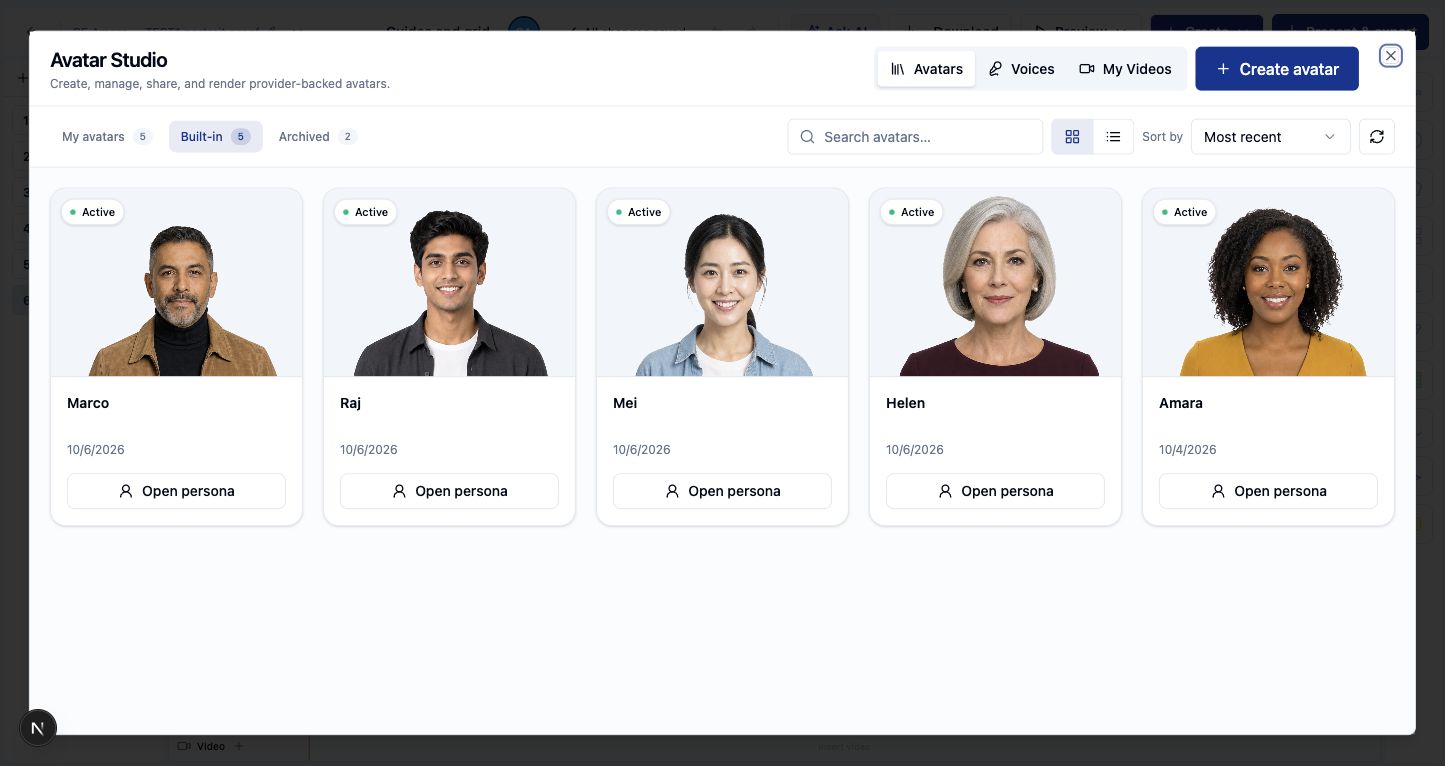
| Avatar presenters | Both support: avatarsOur distinction is the scene-production controls around the presenter. | Five built-in presenters, saved clips, narration and editable scene composition in Avatar/Slide Studio. | On-camera avatars, narration voices and selectable avatar engines in its video editor. Avatars | Script-to-avatar video inserted into supported learning content and custom blocks. Avatars |
| Slides and scene composition | Upskillable leads: full scene-authoring workflowCreate presentations and timed teaching scenes in the same Studio. | Create and edit presentations with text, charts, diagrams, comparisons, media, shapes, groups and interactive overlays. Combine slide design with narration, captions, camera, lighting and timed motion. The Slides component system is separate from Course Builder’s 115 definitions. | Editable scene canvas with text, images, clips, shapes, avatars, backgrounds and an Agent. Scene editor | Native training decks with editable slide templates, media and speaker notes. Storyline’s timeline belongs to a separate tool. Training decks |
| PowerPoint import and presentation export | Upskillable leads: editable presentation exchangeBring existing decks into Studio and take supported objects back to PowerPoint. | Import PPTX into editable Slide Studio projects. Export editable PPTX, PDF or a selected-slide PNG; publish slides for browser/course playback. Editable PPTX does not preserve every browser effect, animation or unsupported object exactly. | Editable video and media export are documented. A comparable native editable PPTX import/export round trip is not established in the reviewed guide. Video outputs | Native training decks, source-file input and course publishing are documented. These do not establish an equivalent editable PPTX round trip. Decks |
| Object motion and transitions | Upskillable leads: explicit motion controlsShow change and sequence while keeping objects editable. | Entry, exit and loop motion, easing, timed paths and scene transitions. Magic Move animates linked objects between duplicated scenes; zoom-through supports spatial transitions. | The Agent coordinates animation with narration; authors preview scenes on the timeline. Comparable motion is real overlap. Animation | Custom canvases and interactive video are available. A matching linked-object scene transition workflow is not established in these Rise guides. Canvas |
| Camera, lighting and cinematic effects | Upskillable leads: dedicated controlsDirect attention to the speaker, detail or step that matters. | Timed wide/medium/close camera framing and speech holds; spot/beam lights; image push-in, Ken Burns, parallax and color grading. | Animated scene styling is documented; equivalent dedicated camera, light and grading controls are not established. Video controls | Decks and custom blocks support visual composition; equivalent scene-camera and lighting controls are not established in the reviewed Rise guides. Deck controls |
| Narration and captions | Both support: narration and captionsCheck timing, voice and output requirements for your project. | Editable narration and timed caption tracks alongside scene content; presenter audio and camera timing can work together. | Transcript-based narration, pronunciation controls, video/caption downloads and Enterprise caption generation. Narration | Audio, AI voices, avatar speech and interactive-video transcripts/captions. Interactive video |
| Reusable templates and recipes | Both support: reusable templatesUpskillable adds teaching-scene recipes and targeted Ask AI actions. | Reuse course templates and scene recipes for comparisons, processes, presenter explanations and decision pauses. Ask AI can refine content, composition, motion and camera framing. | Saved page templates, video templates and reusable Agent instructions. Reuse | Reusable shared block templates, custom-block templates and deck layouts. Templates |
| Branching scenarios | Both support: branchingUpskillable includes branching inside the learner’s AI Learning experience. | Course Builder supports branching pages. Separately, AI Learning adds scenario missions with a brief, context, decision points, consequences, debrief and follow-up. Learner choices and progress are saved; the mission can resume from its recorded state. | Dedicated branching creation and visual flow editing. Branching | AI-generated scenarios with a branching canvas, scenes/cards, goals and scoring. Scenarios |
| Immersive practice and roleplay | Upskillable leads: connected practiceCombine decision practice with contextual conversation and follow-up. | Living Courses connect branching missions, text/live-voice roleplay, criteria-based feedback, saved attempts and AI Coach guidance. Practice sits alongside the learner’s topic, role and skill context. | AI Conversations offers text/voice roleplay, discussion, assessment, rubrics and feedback. Conversations | Branching scenarios provide goals, choices and scoring; AI Tutor supports course conversation. These are meaningful overlapping capabilities. Scenarios |
| Learner coaching and context | Upskillable leads: role and skill contextSupport the learner’s work beyond explaining one page. | Course content, progress, role, required skills, learning goals and learner-confirmed memory inform AI Coach guidance. Saved conversations support continued coaching. | AI Conversations supports discussion, assessment and roleplay in text or voice. Equivalent persistent role/skill/memory context is not established. Learner AI | Course-aware AI Tutor explains and summarizes content, including available transcripts. It does not directly access source files or Storyline blocks. AI Tutor |
| Collaboration and review | Mindsmith and Rise lead: team reviewDistinguish version history from multi-author collaboration. | Course publication snapshots and Generate/Slides version history; author review governs changes. A comparable multi-author review benchmark is not included. | Comments, review links and restoreable version history. Review History | Teams coauthoring and Review 360 stakeholder feedback. Review |
| Publishing updates to an existing LMS | Mindsmith leads: Dynamic SCORM is availableRise’s comparable Connected Packages feature is listed in Labs. | Native course delivery keeps authoring, learner support and learning operations in Upskillable. | Dynamic packages load lessons from Mindsmith’s servers, so published updates reach learners without replacing the LMS package. On Business and Enterprise plans, Staging keeps edits separate until an author publishes changes. Static packages are self-contained and require re-export after edits. SCORM packaging | Connected Packages is available in Rise 360 Labs and can update LMS content without re-uploading. Labs features are experimental; Articulate recommends against using them in training delivered to learners. Labs guidance Feature roadmap |
| LMS export | Mindsmith and Rise lead: LMS packagesA clear reason to choose a specialist when package delivery is central. | SCORM 1.2 import and export, LTI 1.3 launch, xAPI/LRS forwarding, and direct shareable learner course links alongside native Living Course delivery. Mindsmith and Rise still document broader package standards (SCORM 2004; Rise also lists xAPI, cmi5, and AICC). | SCORM 1.2/2004, with dynamic and static packaging. Packaging | LMS, web and PDF publishing, including SCORM, xAPI, cmi5 and AICC options for Rise courses. Publishing |
| Accessibility evidence | Comparative lead unconfirmed: accessibilityResponsive layouts and accessibility certification are different questions. | Responsive behavior is implemented in Course Builder/player components. A matched accessibility conformance audit is outside this comparison. | Accessibility checks and documented keyboard/learner behavior. Accessibility | Responsive course delivery and accessibility guidance; beta/custom content has separate limitations. Conformance |
| Skills, goals and learning operations | Upskillable leads: connected operating workflowTurn learning evidence into a next action for the learner or manager. | Engage, VILT, external audiences, role/skill requirements, qualification renewal, company-goal readiness, Signals, AI Insights and Analyze surround the authoring tools. | Course delivery and learning analytics; the same integrated skills-to-company-goals workflow is not established. Analytics | Rise focuses on authoring; Reach and other Articulate products extend delivery. Equivalent skills/renewal/goal-readiness workflow is not established here. Product scope |
| Document templates and authoring | Upskillable strength: purpose-built documentsCreate the working reference alongside the learning. | 19 document templates include SOPs, controlled procedures, handbooks, training manuals, job aids, newsletters, agendas, strategy briefs and executive reports. Create editable text, lists, tables and callouts, with template-specific purpose and content guidance. | Lessons, source imports and file viewers; equivalent native document-template production is not established. Mindsmith planning | Native Guides create SOP-style material; Frontline adds multi-format kits. Guides |
Upskillable’s strongest case is the combination of native interactive design, course-connected production, detailed scene controls, and learner context. Here is where that creates an advantage, where capabilities overlap, and where a competitor leads.
Selected competitor documentation and Upskillable authoring workflows rechecked October 29, 2026. “Leads” names a specific workflow advantage. “Both support” means the named capability exists, not that the workflows or quality are identical. Where a matching competitor workflow is not documented, that does not prove it is absent. This is a code-and-documentation comparison, not a matched hands-on benchmark. Targeted claim corrections reviewed November 9, 2026. Rise features in Articulate 360 AI are included; separate Frontline, Storyline and Localization capabilities are identified. Upskillable SCORM 1.2 import/export updated November 16, 2026.
Generate Studio’s foundations: plan, check and reuse
Design the narrative before building. Set the learning outcome, shape the setting and stakes, and edit each lesson’s story beat. The final outcome gives the course a destination beyond completing a list of topics.
Keep the facts consistent. The truth ledger connects claims, figures, decisions and assessment targets. Source checks help flag unsupported statements, contradictions and omitted qualifications. This supports review and consistency; it does not guarantee that every generated statement is correct.
Turn the same teaching work into useful formats. Convert an eligible Course outline into a document, Podcast, mind map or scenario starting structure. Choose a document template, review a localized version, and inspect the source/derived-output relationship. Lineage, source usage and localization are distinct controls that work together; they are not automatic rewriting of every derivative.
Add supporting material where it belongs. From Course Builder, ask for a Podcast or SOP at a specific position, carry the brief into Studio, then return to preview and explicitly insert the saved result. Reopen the same project for the next revision. Native branching and roleplay provide additional ways to practice within the learning experience.
What that depth lets an author do
Combine visual storytelling with active practice
Course Builder’s 115 definitions span both presentation and learning activities. That matters when a lesson needs a visual explanation, a calculation and a decision, rather than another page of text. The count includes base blocks and composed variants; it is not 115 distinct interactions.
- Structure: rows, columns, smart layouts, horizontal and vertical tabs, accordions, buttons and numbered sections.
- Explain: steps, cycles, funnels, pyramids, quadrants, fluid diagrams, cause/effect, before/after and pros/cons comparisons.
- Explore: slider-driven calculators, live result summaries, charts, tables and interactive data.
- Practice: questions, sorting, flashcards, polls, hotspots, evidence missions and tracked checklists.
- Support the task: images, audio, video, PDFs, slide embeds and linked reference material.
The theme system carries typography, color and styling through the course. Authors can start with the curated palettes, apply their branding, and override a page, component or text treatment when the lesson calls for it.
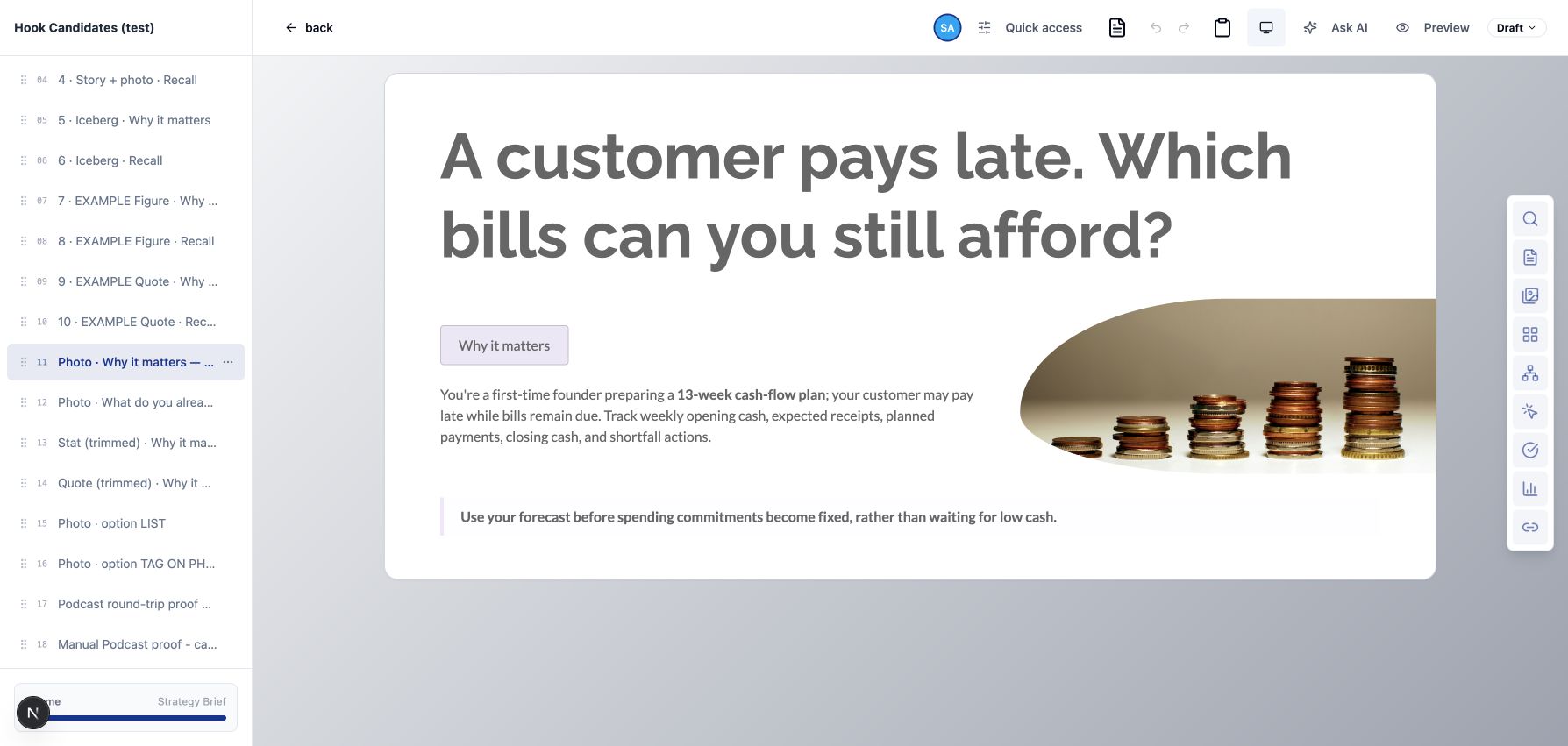
Ask for a Podcast or SOP where the learner needs it
Start at the intended position in the course. Carry the accepted learning brief into Generate Studio, create the supporting Podcast or SOP, and return to preview the saved result. The author chooses when to insert the audio, embed the PDF, or add a document button. Reopening resumes the saved Studio project.
This connection carries the course brief and destination. It does not currently copy the course’s entire source-document set into the new Podcast or SOP project. That distinction matters when a supporting output must cite a particular source.
Create, import and export presentations in Slide Studio
Build a presentation from your brief or import an existing PowerPoint deck. Edit the supported objects, apply your branding, then export editable PPTX, PDF or a slide image. Browser/course publishing and rendered video provide different ways to deliver the same teaching work. Exact PowerPoint fidelity varies by object and effect.
Keep the presenter, diagram, chart, narration and captions editable. Use object motion to reveal a process. Use Magic Move to carry linked objects into their next state. Hold the camera on a speaker, move closer to a detail, or adjust lighting and image movement to guide attention.
Slide Studio has its own overlay system, including charts, diagrams, comparisons, media, groups, connectors and interactive elements. Course Builder’s 115 definitions are not a second count of Slides objects. Reusable teaching recipes and targeted Ask AI actions help authors refine composition, timing, camera and motion without flattening the scene into one image.
Branching and roleplay inside the learning experience
AI Learning missions take the learner through a brief, a situation, decisions and consequences, then a debrief and follow-up. The saved path supports continuity. Roleplay adds text or live-voice practice and feedback; the AI Coach brings the learner’s topic, role and skill context into the conversation.
What Dynamic SCORM actually means
Mindsmith offers Dynamic and Static SCORM packages. Dynamic packages load the live Mindsmith player in the LMS and show saved changes without replacing the package. Staging, available on Business and Enterprise plans, lets an author hold edits and select Publish Changes. Dynamic packages need internet access and access to Mindsmith’s servers; Static packages bundle supported content but require a new export and upload after edits. Static exports omit some live-server features, including Conversation tiles. SCORM packaging. Articulate lists Rise Connected Packages, which updates LMS-deployed content without re-uploading files, as Available in Labs. That makes it a meaningful overlap, while the roadmap status differs from Mindsmith’s documented Dynamic package. Articulate roadmap.
What SCORM records after an attempt. Mindsmith says the LMS stores each learner’s latest status and score. For Dynamic packages, Mindsmith Analytics also keeps each attempt’s score, answers and time; LMS answer interactions accumulate within an attempt. SCORM 1.2 keeps a passed status if a later attempt scores lower, while SCORM 2004 sets status to incomplete when a learner restarts. The docs do not say whether an in-progress attempt remains on its original content after an author changes an assessment. SCORM packaging · Version history.
Before using live updates for assessed training, verify the learner-version contract. The reviewed documentation does not settle whether an attempt stays on its original content version, how deleted or reordered pages affect resume, whether old scores are recalculated, or whether learners receive an update notice or retraining requirement. These are unresolved questions, not claims that Mindsmith lacks those safeguards. A useful demonstration is to pause one learner, finish another, change a scored question, publish, then inspect both records and a new learner’s experience. Reporting documentation · Publishing documentation.
Review what a source change affects
Studio centralizes selected source material and records where saved work used it. When a source is removed or archived, authors can inspect the affected projects and decide what to revise. This is useful traceability: the author can open the work that needs attention instead of searching every course manually.
It is not an automatic rewrite of every course, question, Podcast and slide. Authors review and release updates. The learner’s AI Coach uses the course and learner context available to it; retiring a source should not be described as an instant, universal refresh of every learning experience.
Choose the workflow you need to finish
Our case for Upskillable is connected depth. Build the activity, create the supporting media, return it to the lesson, maintain source usage, and connect the learner’s questions to role and skill requirements. Those are specific reasons to choose a broader learning system.
Mindsmith and Rise are credible alternatives. Mindsmith now has animated avatar video and voice conversations. Rise now has decks, guides, custom canvases and a learner Tutor. Treating either as a basic block editor would make this comparison less useful.
For your evaluation, bring one source and one real task. Build a lesson with a calculator or diagram, add a supporting explanation, revise a source, reopen the saved work, and ask the learner’s next question. Compare the controls, the handoffs and the result. Explore Generate Studio.
Written by Upskillable. Counts distinguish component definitions, menu choices and templates; they are not directly comparable scores. Competitor capabilities are documented rather than tested hands-on. Plan-specific features are identified where material. No claim of faster production, superior learning outcomes, universal accessibility or automatic source synchronization is made.
Frequently asked questions
How does Upskillable compare with Mindsmith and Articulate Rise?
Upskillable combines source-grounded multi-format creation in Generate Studio with native Living Courses, Course Builder styling controls, and an in-course AI Coach inside one LMS, whereas Mindsmith and Rise focus primarily on authoring.
Does Upskillable keep authored content consistent with source documents?
Yes. Generate Studio preserves source relationships so teams can plan the narrative, check facts with the Truth Ledger, and review which course lessons are affected when source material updates.
Can authors convert an outline across different learning formats?
Yes. Authors reuse one learning brief and source set across Courses, Slides, Avatar video, Animation, Documents, Podcasts, Mind maps, and Branching scenarios without rebuilding from scratch.
Does Upskillable integrate with an existing LMS if teams do not migrate?
Yes. Teams that keep an existing LMS can connect Upskillable through LTI 1.3, xAPI/LRS delivery, shareable course links, or SCORM 1.2 import and export.
Connect with us
Tell us what you are trying to get done.
This form reaches the Upskillable team. It is not a public comment thread. Prefer the longer path? Use Get started.
Prefer email? Reach us at hello@upskillable.ai.
Keep reading
Comparisons
Upskillable vs Articulate 360: Storyline, Reach & Localization compared
Compare the full Articulate 360 suite (Rise, Storyline, Review, Reach, Localization) against Upskillable on browser authoring, bilingual updates, AI Coach, and LMS delivery.
Romain Gagnon · November 17, 2026
AI Authoring
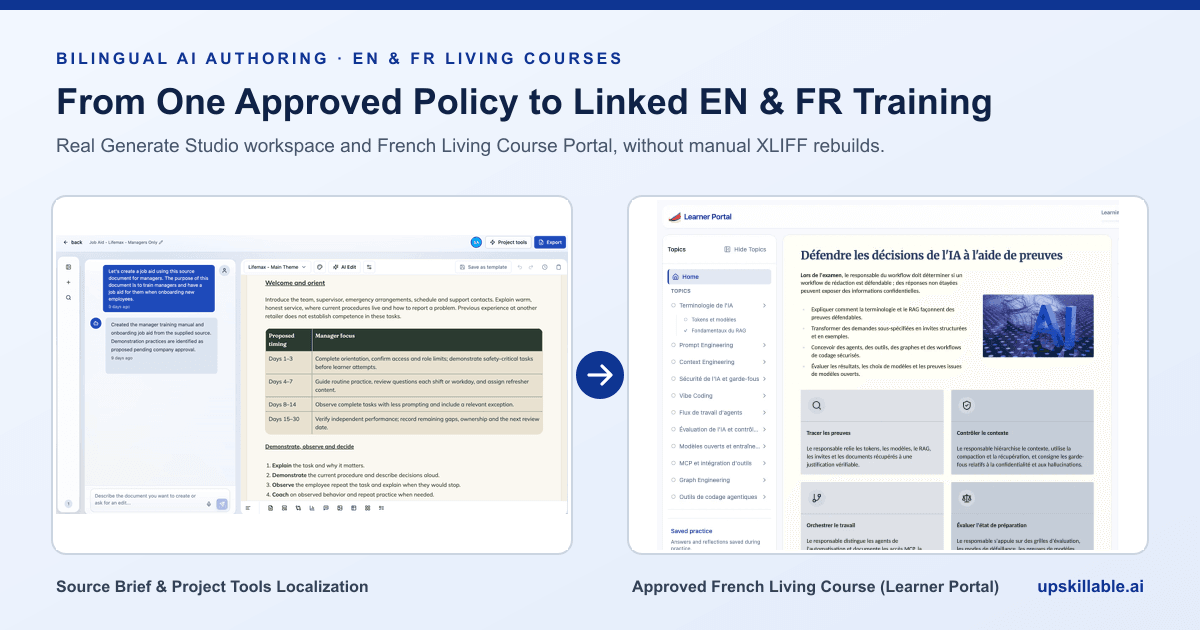
How to author bilingual French and English training without XLIFF rebuilds
Replace slow manual XLIFF handoffs and duplicated EN/FR SCORM packages with source-grounded Generate Studio localization, terminology memory, and human approval.
Romain Gagnon · November 17, 2026