
Product
One change enters. The whole system responds.
 Romain Gagnon · October 6, 2026 · Founder & CEO
A company sets a new business objective. Before commissioning a course, its leaders need to understand which capabilities the objective depends on and whether their people have them.
A course should help people develop knowledge and skills they can apply. Connecting it to a business objective gives the learning a clear purpose and a basis for deciding what it should improve.
Our previous article followed an illustrative product launch. Here, we examine how a team decides what learning that launch needs.
Upskillable is the AI-native future of LMS. We call our connected approach to the learning management system the Living Learning System.
1. Connect the goal to the people who need it
Goals connects where your business wants to go with the skills your people need to get there. Whether the objective is to increase sales by 20% next year, improve production by 10%, or strengthen ethical practices, it gives your learning plan a clear direction.
- Define the objective. Establish what the organization wants to achieve.
- Map the skills needed to support it. Identify what people must be able to do to contribute to that objective.
- Review coverage across your people and teams. Use the alignment views, team heat map, and skills matrix to compare the skills required with the evidence available about your people’s current capabilities.
- Use the gaps to guide what you build next. Identify where learning is needed, then create or improve courses that develop those skills.
For the product launch, one capability supporting that sales objective is helping customers choose from the revised range.
Goal · Illustrative example
Give the course a business reason.
- Business objective
Grow sales by 20% next year.
- Required skills
Compare the revised product range.
- People and gaps
Review sales-team skill coverage.
- Learning response
Build practice around the gaps.
The skills matrix helps distinguish a demonstrated gap from missing evidence. One calls for development; the other needs a review before judging readiness. The same product change can also create different requirements across roles.
The review can also show that the problem is not a learning problem. If the sales team already compares the range well but the price guide is out of date, the right response is a corrected guide, not a course. Human review of the guidance and skills evidence informs that choice before anything is commissioned.
Skills · Illustrative requirements
Different roles need different practice.
| Role | Skill to review | If a gap is found |
|---|---|---|
| Sales | Compare the revised range | Practice choosing a product |
| Support | Route unanswered questions | Practice when and how to escalate |
2. Make the required performance specific
Knowing the product range and applying it in a role are different things. For a salesperson, applying product knowledge means helping a customer make an informed choice. A task definition brings the expected outcome, audience, required skills, supporting courses, and guidance together, which is where the role requirement becomes specific enough to build and to review.
Task · The customer conversation
Define what good performance looks like.
- Expected result
Explain a suitable product choice.
- Audience
Salespeople advising customers.
- Required skill
Apply the product comparison.
- Guidance
Use the reviewed product guide.
3. Build a course around the skill gap
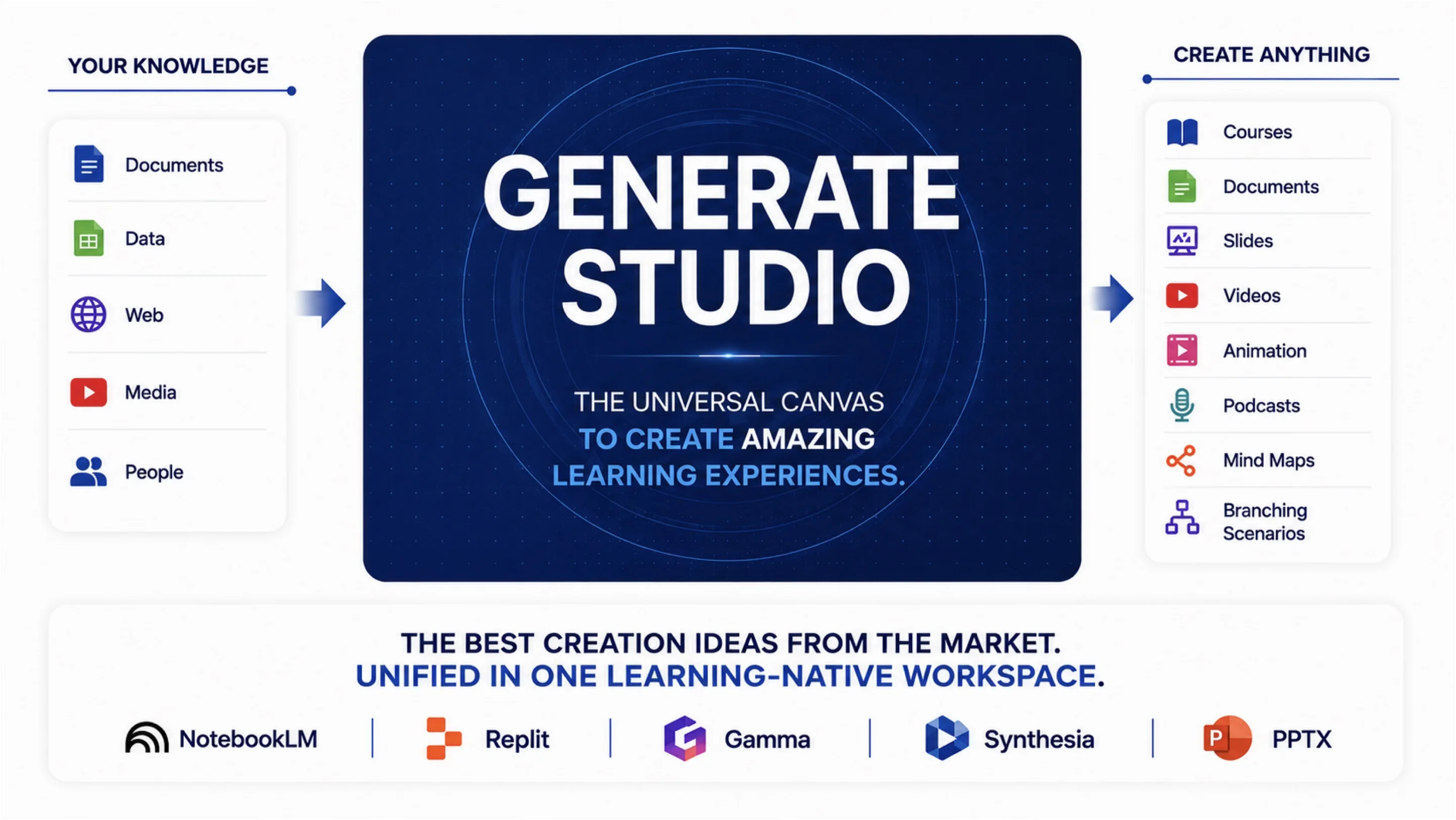
Generate Studio helps creators build from source material. The learning plan and storyboard organize what learners should understand, practice, and demonstrate. Course Builder provides the editable canvas for developing that experience.
Create · Illustrative course sequence
Turn the task into a learning experience.
- Situation
A customer asks what changed.
- Explanation
Show how the products differ.
- Practice
Recommend one for a new case.
- Feedback
Review the reasoning and retry.
The product expert checks the facts, while learning and development (L&D) reviews the learning design. The creator revises the draft before release if either needs work.
4. Support application and review the evidence
Engage manages delivery and access. In Living Courses, the AI Coach helps learners understand released course content and guides practice. Learners can get help with the comparison they are trying to make, at the moment they are trying to make it.
Analyze brings learning and assessment skills evidence into the review. L&D can use it to identify where an explanation or exercise needs attention. Managers still need evidence from the work to assess application.
Prove · Illustrative review
Ask what each kind of evidence tells you.
- Participation
What learning was completed?
- Practice
Can the learner explain the choice?
- Application
What does the manager observe at work?
- Business result
How are sales changing?
5. Use Signals to inform the next response
Signals is in development. Its intended role is to surface relevant changes and gaps, then suggest what learning or support needs attention. A reviewer would decide whether the response should be a course update, more practice, clearer guidance, or expert input.
Signals · In development
Turn a change into a proposed next step.
- Change
Product guidance is revised.
- Context
Identify affected skills and teams.
- Suggestion
Propose learning to review.
- Decision
A person chooses the response.
Start with one objective
Bring one business objective and one group of people to the planning conversation. Trace the skills they need into a course brief, and agree what evidence would show progress. That gives the course a purpose its creators, learners, and business owners can explain.
Diagrams are illustrative explanations, not application screenshots or customer results. The product-guidance example continues our previous article. Automatic source-change detection and coordinated updates remain development work.
Connect with us
Tell us what you are trying to get done.
This form reaches the Upskillable team. It is not a public comment thread. Prefer the longer path? Use Get started.
Prefer email? Reach us at hello@upskillable.ai.
Keep reading

Product
Direct the scene: cinematic training videos in Slide Studio
Direct a training video like a film: transitions that carry the idea, paced motion, a camera that waits for the presenter, light, and shots you describe in plain words. Real Slide Studio exports.
Romain Gagnon · October 27, 2026
Product
Keep your LMS. Bring your learning to life now.
Your LMS contract may have years left. Bring the learning to life now with Generate Studio, Living Courses, and an AI Coach with the learning context.
Romain Gagnon · October 27, 2026