
Comparisons · October 22, 2026
Upskillable vs Synthesia and Colossyan
 Romain Gagnon · October 22, 2026 · Founder & CEO
TL;DR · Which should you choose?
ELI5: Synthesia and Colossyan are great at making a presenter video. Upskillable builds the whole lesson around it: record your screen, direct the shot, add a presenter and questions, and keep it connected to the course and the AI Tutor.
- Choose Upskillable for editable teaching scenes you can record into, direct by description and personalize with variables, for presentation exchange, and for connected course, document, Podcast and coaching workflows.
- Choose Synthesia when avatar choice, external-video dubbing and specialist video production are central.
- Choose Colossyan for training-video production, interactive video and screen-capture-to-SOP workflows.
| Capability | Quick answer | Upskillable | Synthesia | Colossyan |
|---|---|---|---|---|
| Narrative learning design | Upskillable strength: editable story continuityPlan how the explanation develops across the course, beyond a list of topics. | Shape the learning goal, audience, setting, stakes, running example and final outcome. Edit the narrative throughline and individual lesson story beats before building pages. | Prompt/file-led scripts, outlines and editable scenes. Synthesia creation | Scene-by-scene narration, source citations and approval before rendering. Colossyan source plans |
| Truth ledger and source checks | Upskillable strength: teaching-to-assessment consistencyUse the same planned facts in the explanation, examples and questions. | The course truth ledger carries claims, figures and units, source-evidence references, decisions, outcomes and assessment bindings into lessons and quizzes. Source checks flag contradictions, unsupported claims and missing qualifications for review. | Source-based scripts and outline review; an equivalent course-wide fact-to-assessment ledger is not established. Synthesia creation | Scene-level source citations and approval provide real traceability; they do not establish the same cross-lesson/quiz ledger. Colossyan source plans |
| Convert an existing outline | Upskillable strength: linked repurposingCreate editable non-video formats from an accepted teaching structure. | Repurpose an eligible saved Course outline into Document, Podcast, Mindmap or Scenario outlines. Choose the document template and retain a link to the original. Scenario conversion provides an editable starting structure; authors add branching decisions. | File/deck-to-video creation; equivalent Course-outline-to-document/Podcast conversion is not established. Synthesia creation | Source-to-video plans and Screen Capture PDF SOPs are distinct repurposing paths. Colossyan source plans |
| Lineage and source traceability | Different strengths: output lineage and source citationsTrace where work came from and identify what needs review. | Lineage shows direct source/derived-output relationships and source revision freshness. Source usage separately identifies saved projects that reference a removed or archived source and opens them for review. | Source-based media reuse; equivalent cross-format output lineage is not established. Media | Clickable scene citations highlight source sections; authors can approve the plan and reject or regenerate scenes. This does not establish equivalent cross-format output lineage or source-revision review. Colossyan source plans |
| Localization | Equal on core feature: localizationUpskillable reviews multiple content formats; competitors specialize in video versions. | Localize Course, Document, Podcast, Scenario, Mindmap and Presentation content with translation review, terminology rules, translation memory and issue resolution. Review linked language versions with source-freshness checks where supported. Controls and approval steps vary by output. | Script/on-screen text translation, editable language versions, XLIFF and multilingual player. Synthesia translation | Script, voice, on-screen text and subtitle translation, with editable language versions and an Enterprise multilingual player. Default-language edits sync across language versions. Colossyan translation |
| Best fit | Upskillable strength: connected learningChoose it when the video must become part of a learning and coaching journey. | Slide Studio sits alongside Course Builder, Generate, contextual Tutor, skills, qualifications and learning operations. | Specialist video creation, translation, publishing and viewer analytics. Video workflow | AI training video, interactive video and course creation. Course scope |
| Editable scene canvas | Equal on core feature: scene editingAll three let authors revise scenes and their elements. | Native text, media, shapes, groups, connectors, diagrams, charts, comparisons and interactive overlays. | Editable avatars, text, shapes, media, captions and interactive objects. Elements | Editable scene drafts, media, avatars and layouts. Editor and planning |
| Teaching components | Upskillable leads: broader teaching systemCombine explanation, exploration and practice beyond a video canvas. | 19 Slide Studio overlay types; separately, 108 Course Builder definitions including composed variants: calculators, fluid diagrams, sorting, questions, tabs and more. These are different inventories. | Video elements and interactive questions; these are not a like-for-like Course Builder component count. Elements | Video scenes, quizzes and branching, with text and assessment lessons in its course tool. Courses |
| AI planning and editing | Equal on core feature: AI planning and editingReview a plan and refine the result rather than accept a single render. | Generate planning and outline review; supported Ask AI actions edit scene content, composition, motion and camera. | Prompt, script, file and template starting points. Syren (beta) adds chat refinement and source-based video creation; Synthesia MCP supports creating and editing Syren videos from Claude or ChatGPT. Syren beta · MCP Creation | Cora proposes scenes, visuals and narration for approval before rendering. Cora |
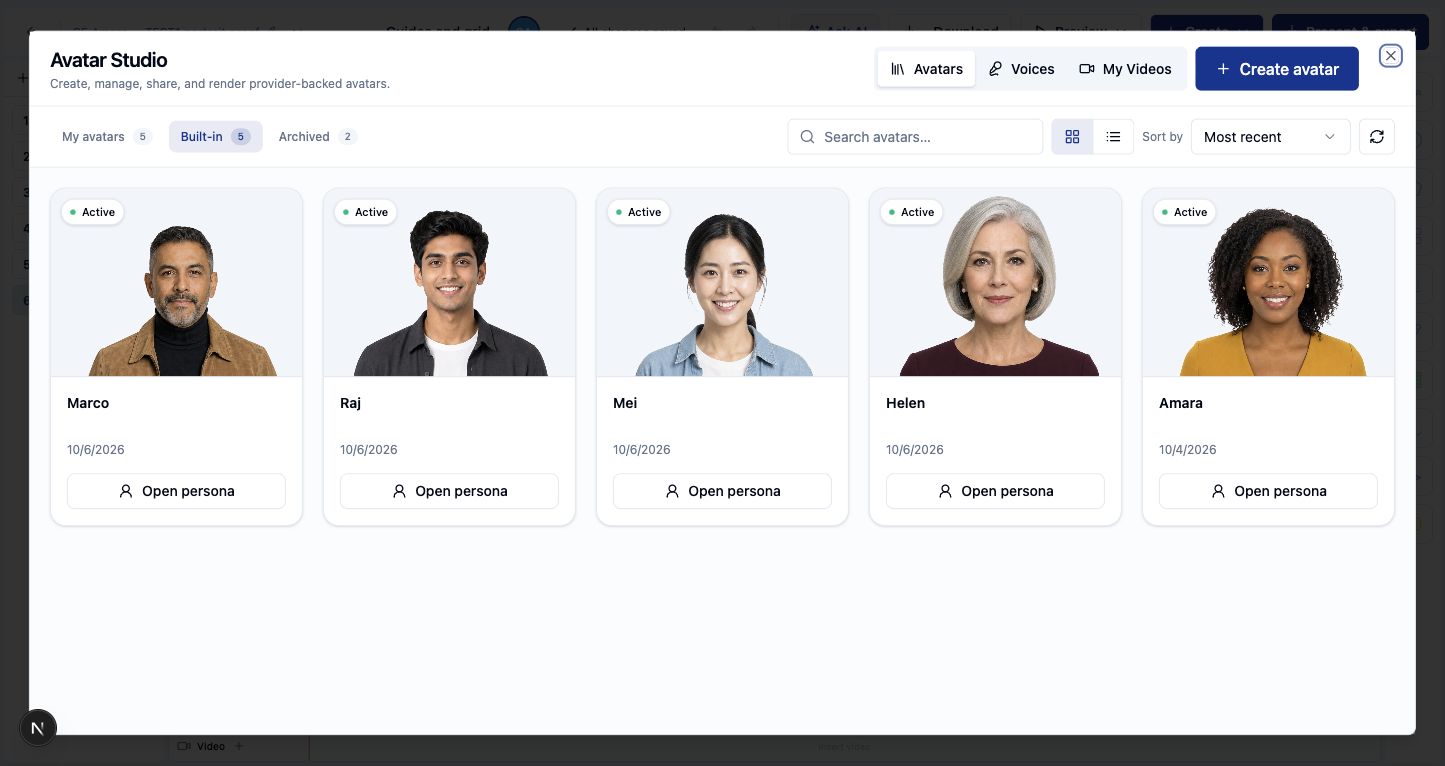
| Avatars and voice library | Synthesia / Colossyan lead: presenter rangeChoose a specialist when presenter choice is the deciding requirement. | Five built-in presenters in Avatar Studio, plus presenters you generate from a description, with extra poses and backgrounds that keep the same face, and personal photo avatars created after a recorded consent step. Voices can be set per language. External generation providers operate behind the Studio workflow. | Stock, personal, studio and customizable avatars; voice cloning and multicam options. Avatars | Broader advertised avatar and voice libraries, language filters and cloning. Voices |
| Narration and captions | Equal on core feature: narration and captionsKeep speech and readable captions alongside the visual explanation. | Editable narration and timed caption tracks; presenter audio can inform camera timing. | Voice controls, dynamic captions and subtitle downloads. Voices Downloads | Voiceover and automatic subtitles, with subtitle exports. Language workflow |
| Object motion and timing | Equal on core feature: animation and timingBoth animation and precise timing matter; none is just static slides. | 10 entry, 7 exit and 6 loop animations with easing; motion paths through several stops with a curve and a change of size; 17 scene transitions; and object timing on the scene timeline. | Word/pause-triggered animation, duration and delay controls, chained emphasis and layered timing. Motion controls | Editor animations and scene-based pacing; detailed control equivalence needs a matched project. Editing |
| Magic Move between scenes | Upskillable strength: linked-object motionCarry an object into its next position or state across duplicated scenes. | Magic Move links object identities between scenes so changed layouts can animate coherently. | Animations and generated motion graphics provide other motion workflows; an equivalent identity-linked workflow was not verified. Motion graphics | Animations and saved layouts documented; equivalent identity-linked motion not verified. Scene editing |
| Camera and framing | Equal on core feature: camera framingUpskillable has native camera controls, but Synthesia also has camera effects. | Whole-scene, medium and close framing, timed movement and holds. Holds can follow the measured duration of presenter audio. | Multicam avatar angle swaps plus image zoom and video zoom/pan tied to script timing. Camera effects | Screen-recording zoom and framing tools. This does not establish parity with every timed scene-camera control. Recording |
| Direct the shot by description | Upskillable strength: describe the shot, review it, then applyAsk for a camera move and lighting in plain words. | The slide assistant turns a request such as “a 5-second close-up on the third card under a warm spotlight” into proposed camera and lighting changes. It shows the current and proposed views side by side, with a time slider, before you apply or dismiss them. | Syren (beta) refines videos through chat; an equivalent camera-and-lighting proposal with a before/after preview was not verified. Syren beta | Cora proposes scenes, visuals and narration for approval; equivalent camera and lighting proposals were not verified. Cora |
| Editable scene lighting | Upskillable strength: authored lightingDirect attention with timed light effects. | Timed 2D spot/beam lighting masks with editable position, intensity and fades. Dim or reveal parts of a scene to direct attention; these effects do not physically relight a photograph. | Studio-avatar capture lighting is fixed after capture; equivalent editable scene lighting was not verified. Studio avatars | Equivalent scene-lighting controls were not verified in the reviewed editor documentation. Editor scope |
| Image and cinematic treatment | Upskillable strength: scene treatmentUse movement and grading to support a teaching point. | Ken Burns presets, push-in, parallax, color grades and scene transitions; effects have combination limits. | Camera effects, transitions and prompt-generated motion graphics. Motion graphics | Animations, media editing and recording zoom. Editing |
| PowerPoint import | Equal on core feature: editable deck importBring an existing deck into an editable production workflow. | Import PPTX and edit supported objects in Slide Studio. Fidelity depends on object and effect. | Editable imported text, shapes, images, videos and tables; notes become script. Original animations do not import. Import details | Import or AI rebuild of decks, editable elements and notes-to-narration. PPT workflow |
| Editable PPTX and reference exports | Upskillable leads: presentation exchangeKeep a presentation usable outside the video player. | Export supported text, shapes, images, groups and connectors as editable PPTX. Unsupported objects, animation and timing can block native PPTX export. PDF, selected-slide PNG, browser/course playback and MP4 are separate delivery paths. | MP4, audio, captions and hosted delivery documented; editable PPTX export not verified. Outputs | Video/LMS outputs; PDF SOP export belongs to Screen Capture. Editable PPTX export not verified. Capture outputs |
| Themes and reusable compositions | Equal on core feature: branding and reuseStart from a reusable design and apply the organization’s brand. | 53 built-in slide templates (more are added regularly), 75 reusable video scene recipes, 37 curated palettes and brand styling. Workspace availability varies. | Brand assets, templates, fonts, colors and reusable videos. Brand assets | Brand kits, saved layouts and training templates. Learning Center |
| Variables and personalization | Equal on core feature: template variablesAll three fill placeholders so one design can serve many audiences. | Insert the workspace company name and email, your own project variables, and live slide values such as the slide title, slide number and “Slide 3 of 9” from the slide panel. A template can also declare a presenter variable, so you choose the avatar, look and voice when you publish the video. | Template variables in the script, on-screen text, avatar and media, filled per video, from a CSV or XLSX file, or through the API. Variables · Bulk personalization | Script and text template variables in curly brackets, filled for each generation through the API. Template variables |
| Screen recording and process capture | Equal on core feature: screen recordingAll three record the screen. Colossyan adds step capture to PDF SOPs; Upskillable puts the recording inside an editable scene. | Record the screen, a camera bubble or both, with microphone audio. Each click is captured with its position and the label of what was clicked. Trim the ends or cut sections from the middle, with undo and restore. In the scene, the camera can zoom to each click (1.5x, 1.8x or 2.5x) and return to the full view, while callouts, narration and questions sit on top. | Integrated AI screen recorder with script-linked editing. Recorder | Continuous screen recorder plus a separate click/screenshot capture tool with editable steps and PDF SOP export. Step capture |
| Branching and quizzes | Equal on core feature: branching and questionsA video can ask for a decision instead of only being watched. | Branching Course Builder pages; separately, AI Learning missions with choices, consequences, debrief and saved progress. Slide scenes also support question/button overlays. | Clickable branching and knowledge checks in hosted interactive videos. Interactivity | Buttons, hotspots, branching, quizzes and learner interaction analytics. Interactivity |
| Roleplay and contextual coaching | Shared roleplay; Upskillable strength: persistent learning contextOur case is the connection to the learner’s ongoing requirements, not exclusive ownership of roleplay. | Text/live-voice roleplay, saved attempts and Tutor guidance connect course, progress, job role, required skills, goals and learner-confirmed memory. | Live avatar conversations, skill rubrics, personalized scenarios, scoring and conversational coaching follow-up. Roleplay Sessions | Branching and quizzes, plus conversational-avatar offering. Equivalent persistent course/role/qualification context is not established. Interactions |
| External video dubbing | Synthesia leads: established external dubbingUseful when the source is an existing video rather than an editable project. | The reviewed localization workflow works on supported native content; equivalent external-video dubbing was not verified. | Upload or YouTube dubbing, transcript review, glossary and optional lip sync. Dubbing | Colossyan offers a separate free research/demo clip-dubbing tool and describes an API in staged early access. Its main translator page still labels AI Video Dubbing “Coming Soon”; this is distinct from native-project translation. Dubbing tool · Product status |
| Course → Studio → course | Upskillable leads: course-linked authoringCreate supporting material at the place the learner will use it. | Course Builder passes the accepted brief and intended position to Podcast/SOP creation. Return, preview and explicitly insert the saved result; reopen the same project. | Hosted/embed and LMS video delivery, rather than the same native course-position round trip. Delivery | Video and course publishing; the same native Upskillable course-position return workflow is not documented. Courses |
| LMS packaging | Synthesia / Colossyan lead: video packagesChoose this when an existing external LMS is the destination. | Native course delivery combines content, coaching and learning operations within Upskillable. | SCORM publishing and interactive hosted delivery, with plan-dependent options. LMS delivery | SCORM 1.2/2004, bookmarking and quiz tracking documented. SCORM |
| Review and video analytics | Competitor strength: video-specific reviewCompare stakeholder review and viewer measurements separately from course reporting. | Project/version history and author review; course reporting sits in the wider learning system. A matched video-review benchmark is not included. | Workspace collaboration, comments and video views, watch time, completion and question performance. Collaboration Analytics | Workspace comments and project access, plus click/completion/quiz analytics. Analytics |
| Document templates and authoring | Upskillable leads: dedicated document productionProduce a working reference, not only a video of a document. | 19 document templates include SOPs, controlled procedures, handbooks, training manuals, job aids, newsletters, agendas, strategy briefs and executive reports. Create editable text, lists, tables and callouts, with template-specific purpose and content guidance. | Documents are inputs to video creation; equivalent native document-template outputs are not documented. Synthesia creation | Screen Capture exports PDF SOPs; this differs from a broader editable document-template studio. Screen Capture |
Choose by the work you need to complete: a standalone training video, an editable presentation, or learning that continues into practice and coaching.
Baseline reviewed October 18; Slide Studio code and official vendor workflows rechecked October 20, 2026. Screen recording, variables, shot direction, presenters and template counts rechecked October 22, 2026. “Leads” identifies a specific workflow advantage. “Equal” means the named core feature exists, not identical depth or quality. Outlined strengths have no confirmed comparative lead. This is a code-and-documentation comparison, not a matched hands-on benchmark or a fresh end-to-end demonstration of every workflow. A feature not verified is not assumed absent.
Generate Studio’s foundations: plan, check and reuse
Design the narrative before building. Set the learning outcome, shape the setting and stakes, and edit each lesson’s story beat. The final outcome gives the course a destination beyond completing a list of topics.
Keep the facts consistent. The truth ledger connects claims, figures, decisions and assessment targets. Source checks help flag unsupported statements, contradictions and omitted qualifications. This supports review and consistency; it does not guarantee that every generated statement is correct.
Turn the same teaching work into useful formats. Convert an eligible Course outline into a document, Podcast, mind map or scenario starting structure. Choose a document template, review a localized version, and inspect the source/derived-output relationship. Lineage, source usage and localization are distinct controls that work together; they are not automatic rewriting of every derivative.
Add supporting material where it belongs. From Course Builder, ask for a Podcast or SOP at a specific position, carry the brief into Studio, then return to preview and explicitly insert the saved result. Reopen the same project for the next revision. Native branching and roleplay provide additional ways to practice within the learning experience.
What Slide Studio adds to the learning workflow
Build a slide explanation with native text, a diagram, a chart and a presenter. Time a reveal to the narration, hold the camera on a detail, and carry an object into its next state with Magic Move. Lighting, image movement, captions and transitions stay part of the scene authoring workflow.
You can also record a software walkthrough with your face in a corner, cut the mistakes, and let the camera zoom to each click. Describe the shot you want, check the proposed camera and lighting, and apply it. Variables keep the company name, slide counter and presenter correct when the same template serves another team. See every Slide Studio feature.
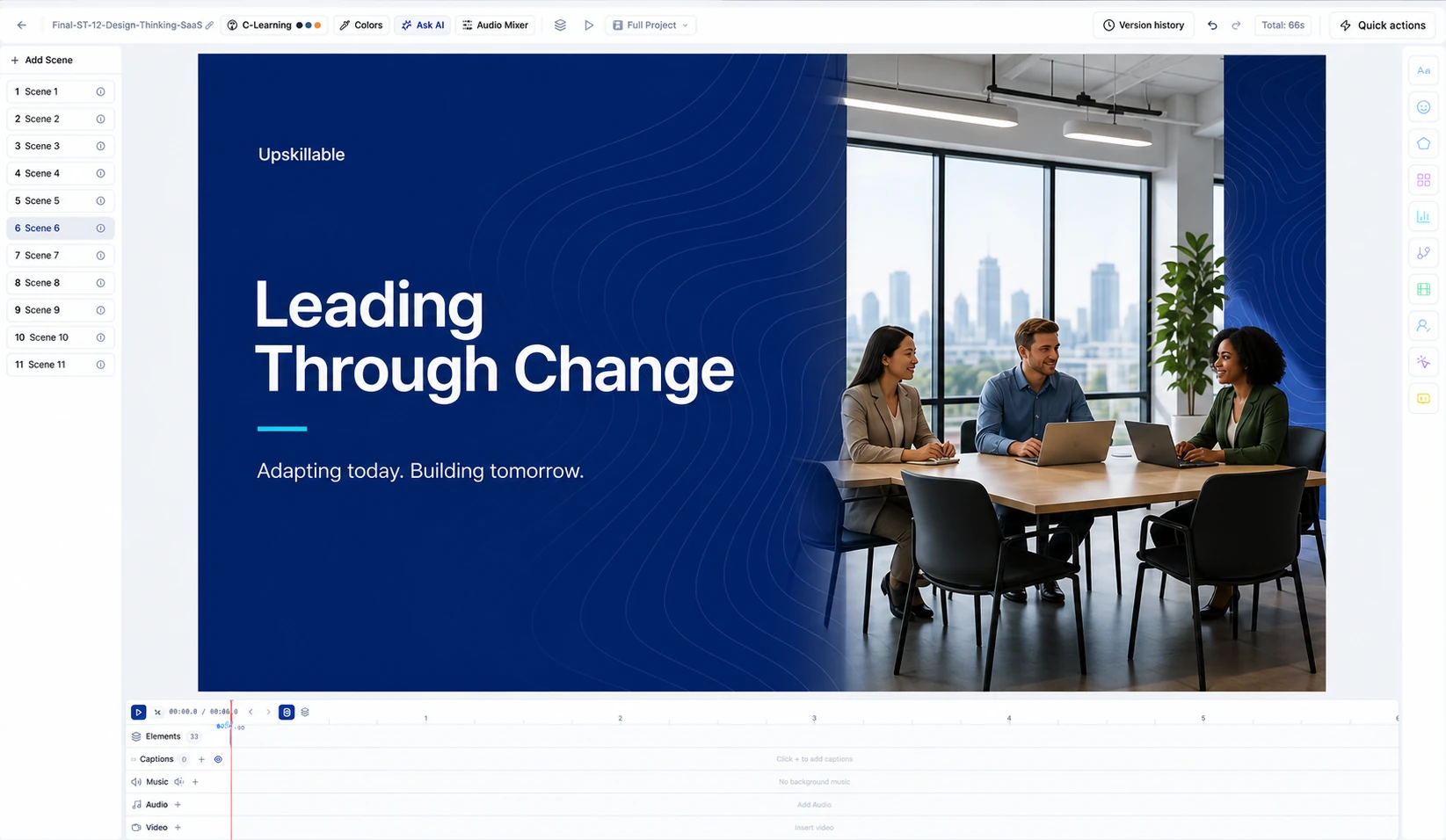
The breadth extends beyond video: Course Builder includes calculators, fluid diagrams, questions, sorting activities, tabs and reference material. These can turn an explanation into something the learner explores or practices. The 108 Course Builder definitions include layout and composed variants; Slide Studio has its own 19 overlay types. Neither count is a claim of 108 unique video effects.
Convert, localize and keep the relationship visible
Convert starts with an eligible saved Course outline. It can produce a Document, Podcast, Mindmap or Scenario outline and retain the relationship to its source. This is useful when an approved teaching structure should become a reference document or another learning format. It is not a promise to convert every finished course into every format.
Localization is a separate workflow. Supported content goes through translation review, terminology preferences, reusable translation memory and approval. The approved output keeps its source relationship. Changed source content requires renewed review; neither lineage nor localization means that every derivative automatically rewrites itself.
These connections are valuable without claiming exclusive ownership of repurposing. Colossyan documents source citations, and Articulate’s separate Frontline offering creates multi-format kits from shared goals and sources. The useful question is whether the exact conversion, review and return-to-course journey fits your work. Articulate Frontline kits
Upskillable’s course-to-Podcast and course-to-SOP round trips carry the accepted brief and destination, let the author review before insertion, and reopen the saved project. They do not currently copy the entire course source-document library into the child project. Source usage and lineage remain distinct from that round trip.
Compare the output you actually need
For a standalone avatar video, test the required presenter, language, recording workflow and delivery format. For connected learning, test the whole journey: create the explanation, add practice, supply the reference material and continue with contextual Tutor support. That is where Upskillable’s combination becomes a practical reason to choose it. Explore Generate Studio.
Product scope and plan availability can change. Competitor citations sit beside their claims in the table. This comparison does not claim full PowerPoint fidelity, automatic source synchronization or an independently measured video-quality lead.
Connect with us
Tell us what you are trying to get done.
This form reaches the Upskillable team. It is not a public comment thread. Prefer the longer path? Use Get started.
Prefer email? Reach us at hello@upskillable.ai.
Keep reading
Product
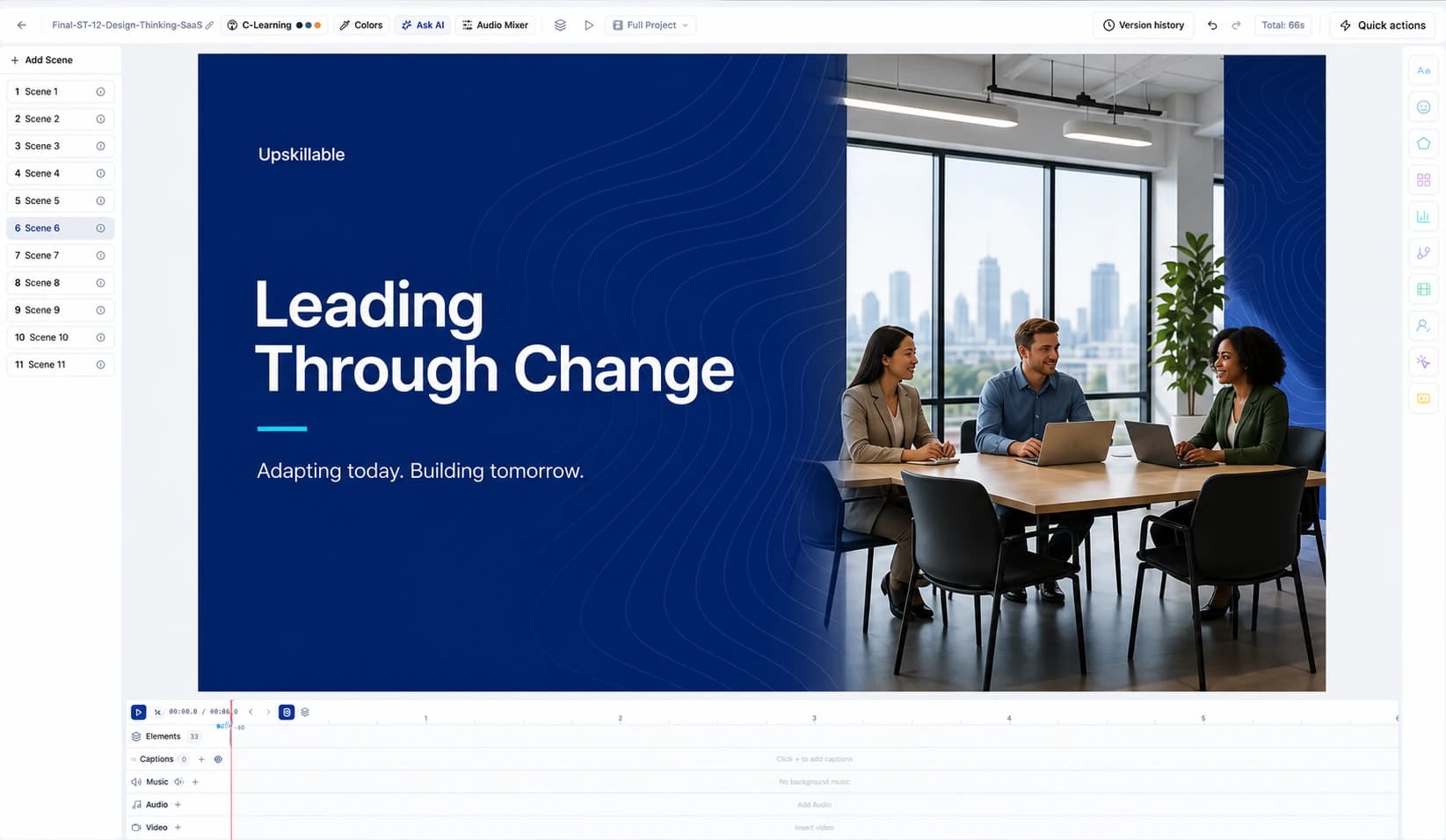
Slide Studio: AI video, avatars, and interactive slides in one LMS
Record your screen and face, direct the shot in plain words, add a presenter, and let learners answer. Everything Slide Studio does today.
Romain Gagnon · October 22, 2026

Product
Living Courses: built around performance
Learn at your own pace and ask your Tutor for guidance based on your training, right when the work calls for it.
Romain Gagnon · October 11, 2026